

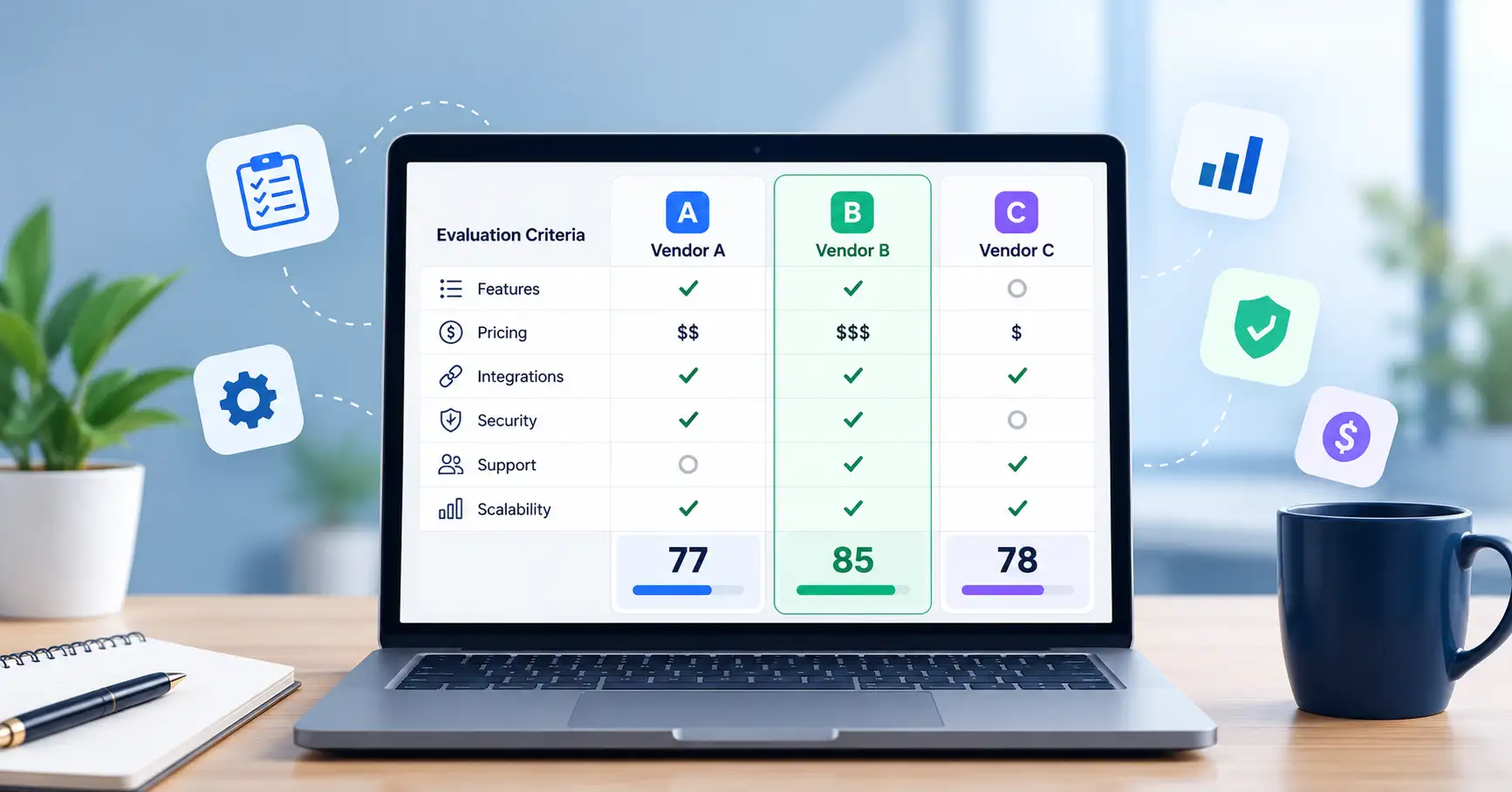
Choosing the right SaaS product takes more than comparing subscription prices or counting features. Two vendors might offer similar capabilities, yet differ in how well they integrate with your existing tools, protect your data, support your team, and handle your business as it grows.
A SaaS vendor comparison framework gives you a consistent way to evaluate these differences. Instead of relying on product demos or sales pitches, you can assess each provider against the same requirements, compare the evidence, and make a decision that fits your business needs.
Here’s how to build a practical comparison matrix, calculate weighted scores, and choose a SaaS provider with greater confidence.
What Is a SaaS Vendor Comparison Framework?
A SaaS vendor comparison framework is a structured approach to comparing software providers against a shared set of business requirements. It helps teams understand where each vendor performs well, where compromises might be necessary, and which option offers the best overall fit.
A typical framework includes evaluation criteria, a side by side comparison matrix, a scoring method, and a process for verifying vendor claims.
Consider a startup evaluating three customer relationship management (CRM) platforms. Its comparison might cover:
- Features needed to manage the sales pipeline.
- Subscription fees and implementation costs.
- Integrations with existing business tools.
- Security and data protection.
- Customer support and scalability.
The goal isn’t simply to find the cheapest product or the one with the longest feature list. It’s to understand which provider delivers the most value for your specific requirements.
If you’re still planning the purchasing process, our SaaS buying checklist for small businesses covers additional considerations to review before committing to a tool.
Which Criteria Should You Use to Compare SaaS Vendors?
The right SaaS vendor comparison criteria depend on what your business needs the software to accomplish. However, most teams should assess the following areas.
1. Features and business requirements
Start with the problem you’re trying to solve. List the capabilities your team needs, then separate essential requirements from features that would be useful but aren’t necessary.
For example, a marketing team might consider campaign automation and reporting essential, while advanced customization is a lower priority.
Ask each vendor to demonstrate how its product handles your actual workflows. A long feature list means little if the software can’t support the way your team works.
2. Pricing and total cost of ownership
The advertised subscription price rarely tells the whole story. To compare vendors fairly, look at the total cost of ownership (TCO) over a consistent period.
Include expenses such as:
- Subscription fees and user licenses.
- Implementation and onboarding.
- Premium features and paid integrations.
- Usage based charges and storage limits.
- Training, administration, and data migration.
- Contract termination and data export costs.
Compare the same contract duration, expected user count, and usage levels for every vendor. This makes it easier to identify which option offers better value beyond the initial price.
3. Integrations and technical compatibility
A SaaS product needs to work with your existing systems. Check whether each vendor connects with your CRM, billing platform, analytics tools, communication systems, and other essential applications.
Also, find out how those integrations work. Some may be built in, while others require middleware, additional subscriptions, or custom development.
A lower priced tool can become the more expensive option if connecting it to your existing technology requires significant engineering effort.
4. Security, privacy, and compliance
Review each vendor’s access controls, encryption practices, data retention policies, incident response procedures, and security documentation.
Depending on your industry, you may also need specific certifications or evidence of regulatory compliance.
The NIST Cybersecurity Supply Chain Risk Management guidance offers a useful reference for assessing supplier related risks. If a vendor cannot meet a mandatory security requirement, treat that as a disqualifying issue rather than something a high overall score can compensate for.
5. Usability, support, and scalability
Look beyond the product’s interface. Consider how easily employees can complete everyday tasks, how much training they’ll need, and what help is available when problems arise.
It’s also worth checking whether pricing tiers, usage limits, and technical capabilities will continue to meet your needs as the business expands.
How to Build a SaaS Vendor Comparison Matrix
A SaaS vendor comparison matrix brings your research together in one place. It makes differences easier to identify and gives stakeholders a clear basis for discussing the final decision.
Step 1: Separate essential requirements from optional features
Document the business problem, expected outcomes, budget, and non negotiable requirements before approaching vendors.
For example, your team might require single sign on, a specific integration, and an approved approach to data handling. Any provider that fails one of these requirements should be excluded from the final shortlist.
Step 2: Shortlist comparable vendors
Choose providers that meet your basic requirements, then compare equivalent subscription plans.
Check that user limits, feature access, contract lengths, and usage assumptions are consistent. Comparing an entry level plan from one vendor with a premium plan from another can lead to misleading conclusions.
Step 3: Create the comparison matrix
Give each evaluation criterion its own row and each vendor its own column. Include a score and a place to record supporting evidence.
The following example illustrates how a team might compare three CRM vendors.
| Criteria | Weight | Vendor A | Vendor B | Vendor C |
| Feature fit | 30% | 4 | 5 | 3 |
| Integrations | 15% | 3 | 4 | 5 |
| Total cost | 20% | 3 | 2 | 5 |
| Security | 20% | 5 | 4 | 3 |
| Support | 10% | 4 | 3 | 4 |
| Exit flexibility | 5% | 4 | 3 | 5 |
These scores are illustrative only. They do not represent actual products or verified vendor assessments.
The matrix gives you a starting point for comparing vendors, but the numbers are only useful if they’re based on consistent requirements and reliable evidence.
Step 4: Verify vendor claims before assigning scores
Use the same questions for every provider. Review product demonstrations, hands on trials, documentation, pricing proposals, and contract terms.
Suppose a vendor claims to offer an integration with your billing platform. Before awarding a high score, confirm which data it synchronizes, whether extra fees apply, and whether it supports your intended workflow.
Documenting the evidence behind each score also makes it easier to resolve disagreements later.
How to Score and Compare SaaS Vendors
Weighted scoring helps you account for differences in business priorities. A feature that’s critical to one team might matter very little to another, so giving every criterion equal importance doesn’t always produce a useful result.
Assign weights using a consistent scoring scale
First, assign each criterion a percentage weight based on its importance to your business. The weights should add up to 100%.
Next, rate each vendor on a scale of 1 to 5:
- 1: Does not meet the requirement.
- 2: Meets only part of the requirement.
- 3: Meets the core requirement.
- 4: Meets the requirement well.
- 5: Exceeds the requirement, supported by evidence.
Agree on the criteria and weights before reviewing the final results. Otherwise, the team might unintentionally adjust the scoring system to favor a preferred vendor.
Calculate each vendor’s weighted score
Use this formula:
Weighted points = (Vendor score ÷ 5) × Criterion weight
For example, a vendor scoring 4 out of 5 on a criterion weighted at 20% earns 16 points.
Applying this formula to the illustrative CRM matrix produces the following results:
| Vendor | Weighted score out of 100 |
| Vendor A | 77 |
| Vendor B | 75 |
| Vendor C | 78 |
Vendor C ranks first with 78 points, largely because of its assumed strengths in integrations, total cost, and exit flexibility. However, its lower security score deserves closer examination before the team makes a decision.
That distinction matters. Weighted scores help organize a decision, but they shouldn’t replace judgment. If a vendor fails a mandatory security or technical requirement, a high total score doesn’t make it a suitable choice.
For a broader look at assessing providers against business requirements, see our SaaS vendor evaluation guide.
Common SaaS Vendor Comparison Mistakes
Even a well designed framework can produce a poor decision if the underlying comparisons aren’t fair.
Watch out for these common mistakes:
- Choosing the cheapest option: Low subscription fees can hide implementation expenses, usage charges, and costly workarounds.
- Comparing different plans: Check that features, limits, and contract terms are comparable.
- Relying entirely on demos: Test realistic workflows rather than judging a product by its presentation.
- Giving every criterion equal weight: Prioritize requirements according to their business impact and risk.
- Ignoring exit conditions: Review data export options, renewal clauses, cancellation notice periods, and migration requirements.
- Treating scores as objective facts: Record the evidence behind each rating and investigate significant differences between evaluators.
SaaS Vendor Comparison Checklist Before Making a Decision
Before selecting a provider, make sure you’ve completed these checks:
- Defined business goals and mandatory requirements.
- Shortlisted suitable vendors and comparable plans.
- Compared features, integrations, and usability.
- Calculated total costs over the same period.
- Reviewed security documentation and contractual risks.
- Tested important workflows using realistic scenarios.
- Applied consistent scoring criteria and weights.
- Documented the reasons for the final decision.
Keep the completed matrix alongside your pricing proposals, trial notes, and contract reviews. This gives stakeholders a clear record of how the decision was reached.
FAQ’s
What is the difference between SaaS vendor comparison and vendor evaluation?
Vendor evaluation is the broader process of determining whether a provider meets your business, technical, financial, and risk requirements. SaaS vendor comparison focuses on assessing multiple providers side by side to understand their relative strengths, weaknesses, and trade offs.
How many SaaS vendors should you compare?
There’s no universal number. Start with providers that meet your essential requirements, then narrow the shortlist to a manageable group for detailed assessment. Three suitable finalists can be a practical starting point, although more complex purchases may require a different approach.
How do you weight SaaS vendor comparison criteria?
Give higher weights to requirements that have the greatest effect on business outcomes or risk. Security may be especially important for software handling sensitive information, while integrations may carry more weight for a tool that needs to connect several business systems. Keep mandatory requirements separate from weighted scores.
What should you do if two vendors receive similar scores?
Look at the evidence behind the scores and identify which differences matter most to your team. Run targeted trials, clarify pricing, verify contractual commitments, and assess implementation and exit risks. A small difference in the final score doesn’t necessarily mean one provider is meaningfully better.
Conclusion
A SaaS vendor comparison framework helps your team look beyond subscription prices and product demonstrations to make decisions based on business needs and verified evidence.
Start by defining your requirements, comparing equivalent plans, and calculating total costs. Then use weighted scoring to understand the trade offs between providers, while keeping mandatory requirements separate from the final ranking.
The right SaaS provider isn’t necessarily the cheapest option or the one with the most features. It’s the provider that meets your essential requirements, delivers sustainable value, and can support your business as it grows.