

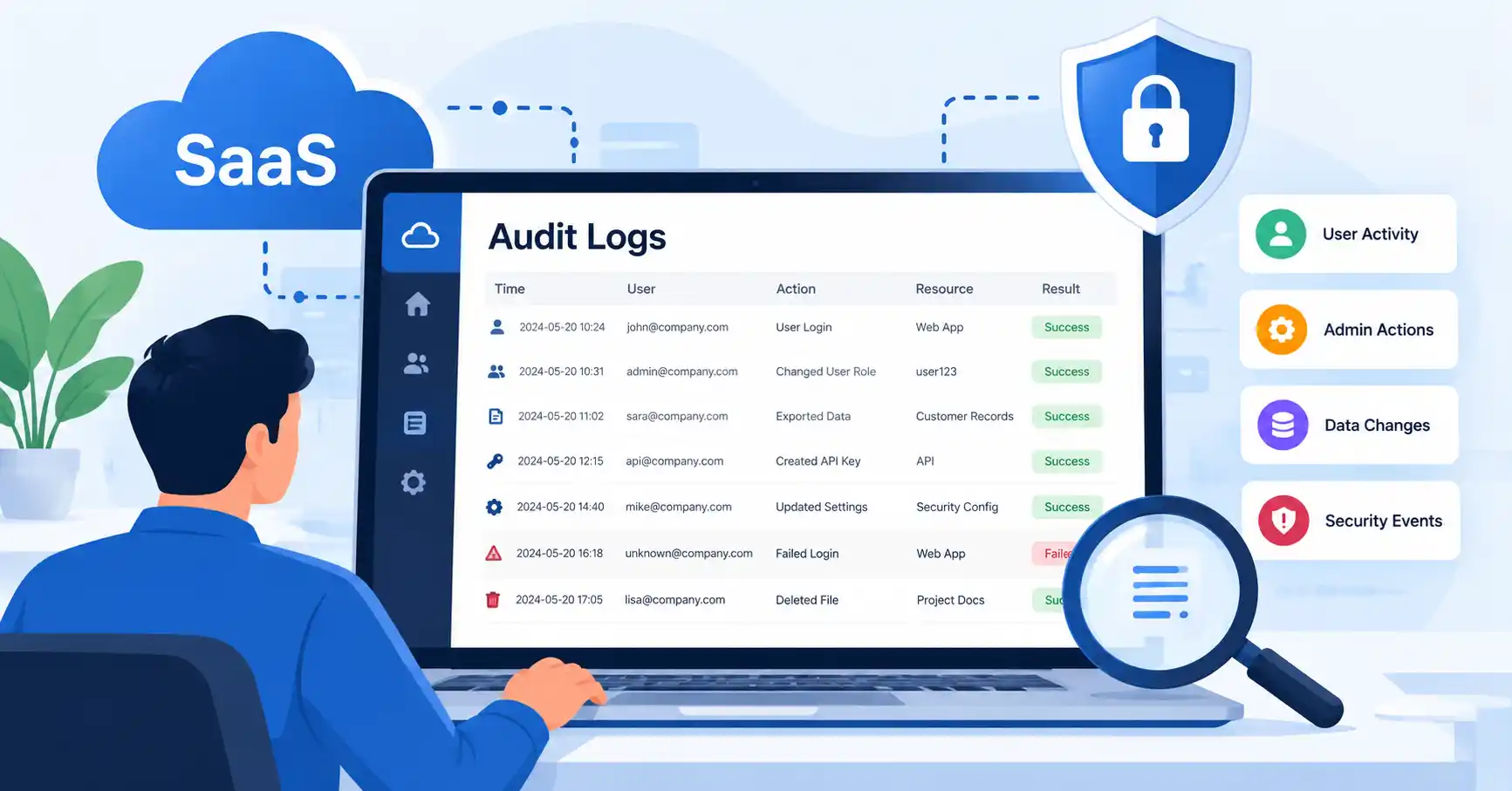
SaaS audit logs track every important move inside a software application. They capture who pulled the trigger, what went down, the exact timestamp, and whether the action succeeded or failed completely. Without solid logs, security teams are flying blind. Period. Investigating a breach gets painful, proving past events turns into guesswork, and compliance reviews become a total nightmare. This guide covers what these logs actually are, why you desperately need them, how to configure them right, traps to dodge, and helpful tools.
Table of Contents
- What are SaaS Audit Logs
- Why SaaS Audit Logs are Important
- Step by Step Guide
- Best Practices and Tips
- Common Mistakes
- SaaS Audit Log Tools
- SaaS Audit Log Comparison
- FAQs
- Conclusion
What are SaaS Audit Logs
SaaS audit logs are digital ledgers that capture critical user, admin, system, and security actions happening inside a platform. They build a dependable timeline that security, IT, compliance, and ops teams rely on to figure out what just happened.
A typical log might catch an admin changing a role, a customer exporting sensitive data, a basic login, a fresh API key, or a sudden security adjustment.
Imagine this scenario. An employee mysteriously downloads thousands of customer records in the dead of night. An audit log steps in to reveal the user identity, precise timestamp, exact action, affected resource, IP address, and ultimate result. This helps security professionals quickly determine if the behavior was legitimate or deeply suspicious.
These are not ordinary application logs. While developers rely on standard app logs to squash bugs and troubleshoot pesky technical errors, audit logs concentrate exclusively on actions requiring strict accountability and traceability. In fact, OWASP strongly recommends recording security relevant events while retaining enough context to know precisely who pulled the trigger and what followed.
For a much broader view of protecting cloud applications, see our guide to SaaS Security.
Why SaaS Audit Logs are Important
Your SaaS platform holds everything, from payroll to secret documents. Audit logs provide a clear, indispensable window into who touches this critical data and precisely when they do it.
Key benefits include:
• Detecting suspicious account activity and unauthorized access
• Investigating security incidents more quickly
• Tracking administrative and privileged actions
• Supporting compliance and customer security reviews
• Creating an evidence trail for important changes
Consider a SaaS administrator who changes a customers permissions from standard user to administrator. Without an audit trail, security teams often find out about a tweak only after things break. A solid log changes that. It points straight to the account, the exact timestamp, source, and action taken.
Audit logs pull weight for compliance too. NIST guidelines say you should pick the right event types to log, Plus, you have to lock down that audit data so nobody tampers with it.
Step by Step Guide
Step 1: Identify the Events You Need to Log
Stop logging everything. Figure out what truly matters for security, compliance, and daily operations before drowning in noise.
Common SaaS audit events include:
• Successful and failed logins
• Password and authentication changes
• User creation and deletion
• Role and permission changes
• Data creation, modification, deletion, import, and export
• API key creation and revocation
• Security configuration changes
• Billing or subscription changes
• Administrative actions
Say your SaaS lets admins mess with customer permissions. Log it. That change hits data access hard, so you need a paper trail.
Step 2: Define the Information Each Log Should Capture
Every audit demands rich detail to reconstruct what happened. A truly solid layout covers timestamps, actors, actions, targets, outcomes, and source information.
For example:
User: admin@example.com
Action: Changed user role
Target: user123
Previous role: Member
New role: Administrator
Result: Successful
Time: 2026 09 25 14 30 UTC
IP address: Recorded source address
Depending on your setup, you might need extra details like an event ID, organization ID, or app version. OWASP keeps it simple. They say logs should track four basic things: when, where, who, and what.
Step 3: Protect the Audit Logs
Treat audit logs as pure gold, never as mundane system data. Restrict access heavily so only trusted security personnel can ever view them.
Prevent ordinary users from modifying or deleting records that describe their own actions. Consider immutable or append only storage for important audit information.
You should also protect logs during transmission and storage. NIST specifically recommends protecting audit information and logging tools from unauthorized access, modification, and deletion.
For more practical SaaS protection measures, see our SaaS Security Checklist.
Step 4: Add Monitoring and Alerts
Collecting logs is only half the job. Teams need a way to identify meaningful events.
Set alerts for high risk activities such as:
• Multiple failed administrator logins
• Privilege escalation
• Large data exports
• New API keys
• Security configuration changes
• Login activity from unusual locations
• Attempts to access restricted resources
For example, one successful login is usually not enough to trigger an alert. But a successful administrator login followed by a role change and a large data export could deserve immediate investigation.
Step 5: Review and Test the Audit Trail
Audit logging should be tested regularly. Create controlled events and confirm that the correct records appear with accurate timestamps and details.
Check whether logs remain available during service failures, whether unauthorized users can access them, and whether important actions can be traced from start to finish.
Also review retention periods. Endless log retention wrecks budgets and invites severe privacy disasters. Purge them too fast, though, Your team might miss the smoking gun during a messy audit.
Best Practices and Tips
• Use consistent event names across the application so security teams can search and analyze them easily.
• Use UTC timestamps or another consistent time standard across distributed services.
• Record both successful and failed security relevant actions.
• Keep audit logs separate from general debugging logs where practical.
• Never store passwords, access tokens, encryption keys, or unnecessary sensitive data in audit records.
• Restrict access to audit logs using least privilege principles.
• Protect critical logs against modification and deletion.
• Define retention periods based on business, contractual, privacy, and compliance requirements.
People often mess up by treating audit logs like any standard database table. Bad idea. They belong to your security control framework. That means strict access rules, constant monitoring, solid protection, and regular testing.
Check out the OWASP Logging Cheat Sheet for solid advice on picking events, handling sensitive data, and locking down logs.
Common Mistakes
Logging Too Little
If you only record login events, you may miss the actions that actually matter. Changes to permissions, data exports, API credentials, and administrative settings often deserve their own audit events.
Logging Too Much
More data is not automatically better. Logging passwords, access tokens, payment information, or unnecessary personal information can create a security and privacy problem.
Allowing Users to Modify Their Own Audit Records
An audit trail loses value if the person being investigated can easily change or delete the evidence.
Ignoring Failed Actions
Failed attempts can be important security signals. Repeated failed logins or authorization failures may reveal attempted attacks or account misuse.
Never Testing the Logs
A logging feature can silently stop working because of application changes, configuration errors, storage problems, or integration failures. Test it like any other security control.
SaaS Audit Log Tools
The right tool depends on your architecture and scale. Smaller SaaS products may start with application level audit logging and centralized storage, while larger environments may send events to a security information and event management platform.
SaaS Audit Log Comparison
| Tool or Approach | Primary Use | Best For | Main Benefit |
| Application Audit Logs | Track user and admin actions | SaaS product teams | Direct visibility into product activity |
| SIEM Platform | Centralize and analyze security events | Security teams | Correlates events across systems |
| Cloud Logging Service | Collect infrastructure and application logs | Cloud based SaaS teams | Centralized cloud log management |
| Database Audit Logging | Track database activity | Data and platform teams | Visibility into database changes |
| Log Management Platform | Search and retain large log volumes | Growing SaaS companies | Easier investigation and retention |
Anchor your audit logging directly to genuine operational risk instead of chasing flashy tools. That is the one real takeaway you need to remember.
Navigate tangled SaaS Application Security. Our fresh guide decodes security controls and live monitoring, granting you that exact missing context you desperately need right now.
FAQ’s
What should SaaS audit logs record?
Logins, permission tweaks, admin moves, data pulls, API key swaps, and security setting shifts need to be logged. Every single record ought to show who did what, where it happened, the exact time, and how it turned out. Don’t miss context.
Are SaaS audit logs required for compliance?
Your exact needs vary. Audit logs prove accountability, but what events you track and how long you keep them? It all shifts wildly, dictated by mandates, rules, and contracts.
How long should SaaS audit logs be kept?
There is no universal retention period for every SaaS product. Define retention based on contractual requirements, applicable regulations, security needs, investigation requirements, and storage costs.
Should audit logs contain personal information?
Keep personal data out of logs. Unless audits demand it, just skip storing sensitive stuff entirely, locking it down with tight access rules and strict retention limits.
What is the difference between audit logs and application logs?
System monitoring relies on application logs, Meanwhile, audit logs tread elsewhere. They meticulously trace every action taken by users, administrators, and systems, ensuring strict accountability always.
Conclusion
Audit logs give software teams an actual paper trail. They settle the bare minimum, high stakes questions: who touched what, when did they do it. And did the action go through or fail?
Start by spotting the dicey actions. That means credential adjustments, permission creep, mass data exports, raw admin tinkering, and fresh API keys. Once you’ve cataloged those, settle on a unified format, lock the storage down tight so nobody can alter historical records after the fact, automate some real time alerting, and test the whole apparatus periodically. Routine drills matter.
Do not hoard every keystroke. Your true goal is an ironclad, credible ledger that lets people unravel messy incidents, keep auditors off their backs. And finally see through the chaos.