

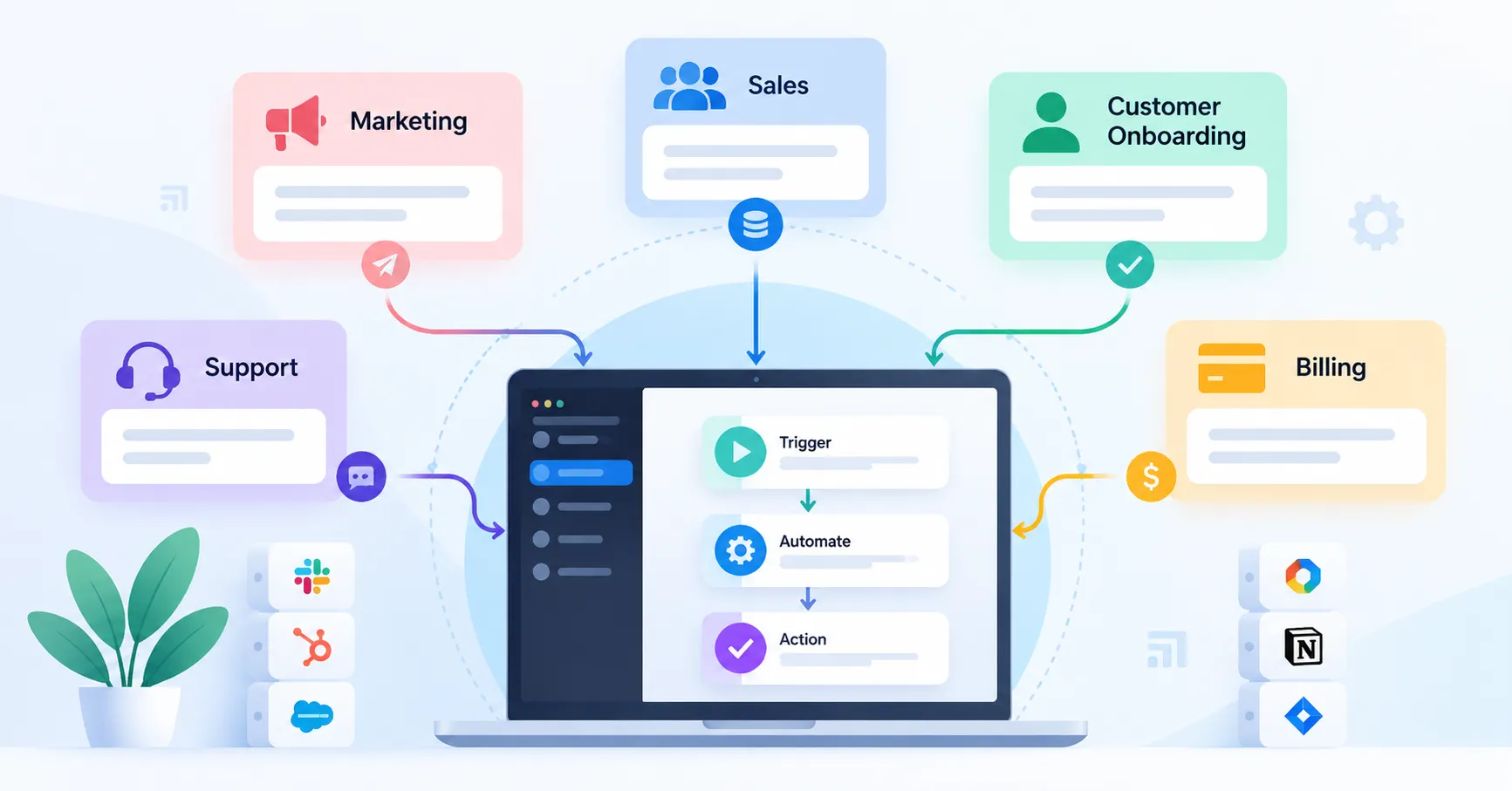
As a SaaS business grows, routine tasks can quickly become time consuming. Marketing teams move leads into CRMs, sales reps follow up with prospects, support teams assign tickets, and finance teams chase overdue payments across multiple applications.
SaaS workflow automation helps connect these activities so routine tasks happen automatically when specific conditions are met. Instead of depending on team members to remember every step, businesses can create consistent processes with predefined rules, notifications, and ways to handle exceptions.
This guide covers 12 practical SaaS workflow automation examples, the tools that can help implement them, and how to choose the right workflow to automate first.
What Is SaaS Workflow Automation?
SaaS workflow automation uses software to handle repetitive business tasks according to predefined triggers, conditions, and actions. It can work within a single application or connect several tools through integrations and APIs.
Consider a prospect who requests a product demo. An automated workflow could create a CRM record, assign the lead to the right sales representative, and send a notification to the sales team without requiring anyone to enter the information manually.
Workflow automation and SaaS integration often work together, but they serve different purposes. Integration allows applications to exchange data, while automation uses that connection to carry out specific tasks or processes.
12 SaaS Workflow Automation Examples for Growing Teams
The following examples cover marketing, sales, customer success, billing, support, and internal operations. Each one is a starting point that you can adapt to your existing tools and business requirements.
1. Lead Capture and CRM Assignment
Trigger: A prospect submits a form on your website.
Workflow: Validate the submitted information, create or update the CRM record, assign the lead according to territory or company size, and notify the appropriate sales representative.
Key metrics: Lead assignment time and assignment accuracy.
This workflow keeps incoming leads from getting lost in email inboxes or spreadsheets. Before creating a new record, add duplicate detection to account for prospects who submit multiple forms or already exist in your CRM.
2. Automated Lead Qualification and Sales Notifications
Trigger: A lead meets your predefined qualification criteria.
Workflow: Evaluate company details, form responses, and relevant engagement signals. Update the lead’s status and notify sales when the required conditions are satisfied.
Key metric: Time between lead qualification and the first sales contact.
Make qualification rules easy to understand and review them regularly. Automation should help sales teams prioritize prospects, not automatically dismiss potentially valuable leads because some information is missing.
3. Personalized Email Nurture Sequences
Trigger: A prospect downloads a resource or registers for a webinar.
Workflow: Add the contact to a relevant email sequence, send follow up messages, and stop promotional emails when the person unsubscribes or no longer meets the campaign criteria.
Key metrics: Email engagement, qualified conversions, and unsubscribe rate.
Segmentation makes these campaigns more relevant to each audience. Before launching an automated sequence, check consent requirements and suppression rules to ensure contacts receive appropriate communications.
4. Trial User Onboarding and Activation Reminders
Trigger: A user starts a free trial or leaves an important setup step incomplete.
Workflow: Send a welcome email, share relevant setup instructions, and schedule reminders when key activation milestones remain unfinished.
Key metrics: Trial activation rate and time to the first meaningful product outcome.
Not every trial user needs the same reminders. Base messages on actual product activity and stop sending onboarding prompts once the user completes the relevant steps.
5. Customer Onboarding Task Assignment
Trigger: A new customer signs a contract or completes a purchase.
Workflow: Create an onboarding project, assign an implementation owner, generate setup tasks, and notify the customer success team.
Key metrics: Time to onboarding completion and milestone completion rate.
For larger accounts, include dependencies and approval checkpoints. Automating task creation gives teams a consistent starting point, but complex customer requirements may still call for direct coordination.
6. Customer Support Ticket Routing
Trigger: A new support ticket enters the help desk.
Workflow: Categorize the issue, assign it to the appropriate team, set its priority according to predefined rules, and escalate unresolved high priority tickets.
Key metrics: First response time, routing accuracy, and resolution time.
Some requests won’t fit neatly into predefined categories. Keep human review available for ambiguous or sensitive cases, and use misrouted tickets to improve your classification rules.
7. Failed Payment Alerts and Dunning Follow Ups
Trigger: A subscription payment fails.
Workflow: Record the payment failure, notify the relevant team when necessary, send the customer a payment update message, and schedule follow ups according to your billing policy.
Key metrics: Payment recovery rate and involuntary churn.
The workflow should recognize when a payment succeeds or a subscription is canceled so customers don’t continue receiving unnecessary reminders. Stripe’s subscription documentation provides useful background on subscription billing and lifecycle management.
8. Subscription Changes and Billing Notifications
Trigger: A customer upgrades, downgrades, or otherwise changes a subscription.
Workflow: Update the relevant customer records, notify account owners when needed, and initiate the appropriate billing or access control actions.
Key metrics: Subscription record accuracy and processing time.
Keep the billing platform as the authoritative source for subscription status. Before automating access changes, test how the workflow handles cancellations, plan changes, and proration.
9. Renewal Reminders and Churn Risk Alerts
Trigger: A contract approaches its renewal date or a customer meets predefined risk criteria.
Workflow: Create an account review task, notify the customer success owner, and gather relevant product usage, support history, and renewal information.
Key metrics: Renewal completion rate and the percentage of at risk accounts reviewed on time.
Define risk criteria carefully. An alert should prompt the team to investigate an account, not serve as a definitive prediction of whether a customer will leave.
10. Product Feedback and Issue Tracking
Trigger: A customer submits feedback or a support ticket identifies a potential product issue.
Workflow: Categorize the feedback, create a task in the project management system, attach relevant context, and notify the product team when specific conditions are met.
Key metrics: Feedback triage time and time to assign an owner.
Preserve the original customer context and consolidate duplicate requests. Creating a separate issue for every similar comment can overwhelm the product backlog instead of helping teams prioritize work.
11. Internal Approvals and Employee Onboarding
Trigger: An employee submits a purchase request or joins the company.
Workflow: Route the request to the appropriate approver, notify relevant stakeholders, create onboarding tasks, and track completion.
Key metrics: Approval turnaround time and onboarding task completion rate.
Make approval limits, access permissions, and audit records explicit. Sensitive permissions and high value purchases should remain subject to established controls rather than unchecked automation.
12. Automated Reporting and Data Synchronization
Trigger: A scheduled reporting time arrives or a relevant update occurs in a connected system.
Workflow: Retrieve data from connected applications, validate the required fields, update a central reporting destination, and notify stakeholders when a report is ready or information is missing.
Key metrics: Reporting preparation time, data freshness, and synchronization error rate.
Decide which application owns each data field before connecting your systems. Without clear ownership and conflict resolution rules, automated synchronization can spread incorrect information across multiple platforms.
SaaS Workflow Automation Examples at a Glance
| Workflow | Typical tools involved | Main KPI |
| Lead assignment | Forms, CRM | Assignment time |
| Lead qualification | CRM, enrichment tools | Time to first contact |
| Email nurturing | Marketing automation, CRM | Qualified conversions |
| Trial onboarding | Product analytics, email | Activation rate |
| Customer onboarding | CRM, project management | Time to completion |
| Support routing | Help desk, team chat | Resolution time |
| Failed payments | Billing, email | Recovery rate |
| Subscription updates | Billing, CRM | Record accuracy |
| Renewal alerts | CRM, product analytics | Renewal rate |
| Feedback tracking | Support, project management | Triage time |
| Internal approvals | Forms, workflow tools | Approval time |
| Reporting and synchronization | SaaS applications, dashboards | Data freshness |
Which Tools Can You Use to Automate SaaS Workflows?
The right tool depends on how complex your workflow is, which applications you need to connect, how sensitive the data is, and how much ongoing maintenance you can support.
| Approach | Best suited for | Main trade off |
| Native integrations | Straightforward workflows between supported applications | Less flexibility |
| No code automation platforms | Connecting multiple SaaS applications with minimal coding | Usage costs and platform limitations |
| Custom APIs and code | Complex logic, specialized requirements, or custom systems | More development and maintenance work |
Platforms such as Zapier, Make, and n8n support different workflow automation needs. Compare their available integrations, execution limits, security controls, pricing, and monitoring features before making a decision.
If your automation involves introducing new software, connecting applications, or changing how teams work, SaaSyntic’s guide to the SaaS implementation process offers additional guidance on planning and rollout.
How to Build Your First SaaS Automation Workflow
You don’t need to automate every process at once. Start with a repetitive task that has a clear purpose and a measurable outcome.
- Map the current process. Identify who performs each task, which applications they use, and where delays or errors occur.
- Define the trigger and rules. Specify what starts the workflow, which conditions must be met, and what actions should follow.
- Choose the simplest suitable tool. Check existing integrations before adding another platform or developing a custom API.
- Test successful and failed scenarios. Check for duplicate events, missing fields, expired credentials, and unsuccessful actions.
- Launch with monitoring in place. Assign an owner, review failed runs, and establish a manual process for handling exceptions.
- Measure the results. Compare performance with your baseline and adjust the workflow based on what you observe.
Error handling deserves particular attention. Make’s error handling documentation explains how error handlers can help manage unexpected workflow failures. Similar safeguards are important whenever automation affects customer records, payments, or other critical business processes.
For a broader understanding of how automation fits into daily operations, explore SaaSyntic’s guide to SaaS operations best practices.
Common SaaS Workflow Automation Mistakes to Avoid
Even a well designed workflow can create problems if its underlying process or controls are weak. Watch out for these common mistakes:
- Automating a broken process: Simplify and standardize the existing process before automating it.
- Ignoring failures: Set up alerts, appropriate retry rules, and a clear manual recovery process.
- Creating duplicate records: Use stable identifiers and deduplication rules to keep data consistent.
- Automating sensitive decisions without review: Keep human oversight for ambiguous cases, exceptions, and high impact decisions.
- Overlooking ongoing costs: Include platform usage, maintenance, API limits, and monitoring in your budget.
- Failing to review performance: Check regularly whether the workflow still achieves its intended business outcome.
FAQ’s
What are the best examples of SaaS workflow automation?
Lead assignment, trial onboarding, support ticket routing, failed payment follow ups, renewal reminders, and automated reporting are practical starting points. The right choice depends on how frequently the task occurs and the business impact of delays or errors.
Which workflows should startups automate first?
Start with a frequent, predictable task that follows clear rules and produces measurable results. Lead routing, onboarding reminders, and internal notifications are good candidates because teams can test them without overhauling their entire operating model.
Can you automate SaaS workflows without coding?
Yes. Native integrations and no code platforms can connect applications through triggers, conditions, and actions. Custom code may be necessary when a workflow requires specialized business logic, unsupported integrations, or greater control over data processing.
How do you measure SaaS workflow automation ROI?
Compare the cost of building and maintaining a workflow with measurable benefits, such as reduced manual effort, fewer processing errors, faster response times, or improved payment recovery. Establish a baseline before launch and include ongoing platform and maintenance costs rather than assuming every automated task generates a financial return.
Conclusion
SaaS workflow automation helps growing teams create more consistent processes across marketing, sales, customer success, billing, and operations. Its value depends on selecting the right tasks, defining clear rules, and making sure failures don’t go unnoticed.
Start with one well defined workflow, measure its performance, and expand once it proves reliable. A simple automation with clear ownership and proper monitoring is often more useful than a complex system that nobody maintains.