

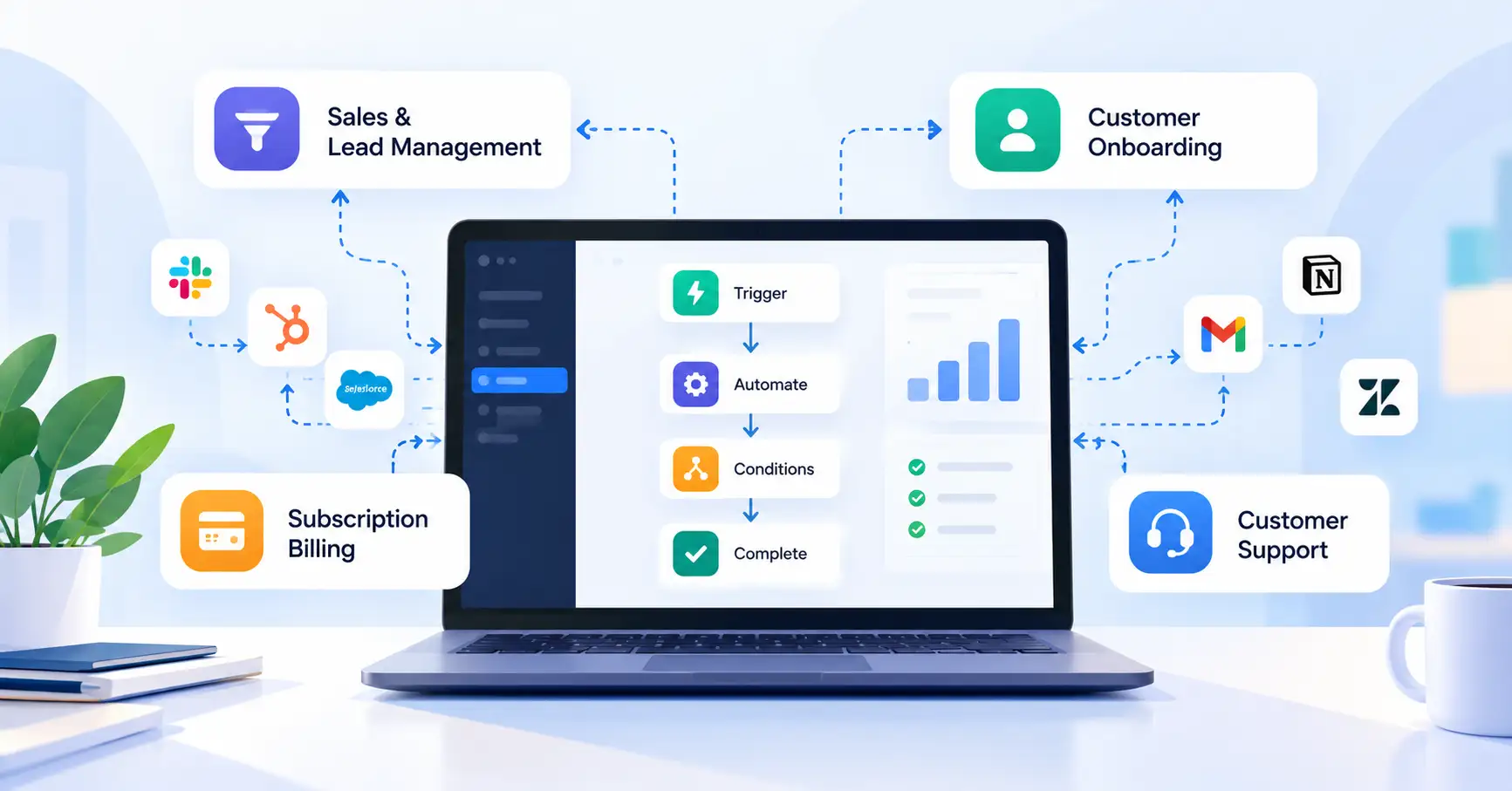
SaaS companies often spend hours on routine tasks such as assigning leads, onboarding customers, updating subscription records, routing support tickets, and preparing reports. When employees handle these tasks manually, work slows down, processes become inconsistent, and mistakes become harder to spot as the business grows.
SaaS process automation connects these activities into repeatable workflows that require less manual intervention. The aim isn’t to automate everything. It’s to eliminate unnecessary work while keeping important decisions, exceptions, and customer interactions under control.
This guide explains how SaaS process automation works, which processes to automate first, how to choose suitable tools, and how to measure the results.
What Is SaaS Process Automation?
SaaS process automation uses software, integrations, rules, and workflows to manage recurring business processes with minimal manual effort.
For example, when a prospect requests a demo, an automated workflow can create a CRM record, assign the lead to a sales representative, and send a confirmation email. Instead of transferring information between applications, the sales team can focus on qualifying the prospect.
Most automated workflows have four key elements:
- Trigger: The event that starts the workflow.
- Action: The task the system performs.
- Condition: The rule that determines what happens next.
- Outcome: The result, such as an updated record or completed task.
Process automation goes beyond automating individual tasks. It connects activities across teams to achieve a specific business outcome.
Process automation vs. workflow automation vs. RPA
| Approach | What it does | Example |
| Process automation | Coordinates an end to end business process | Managing customer onboarding |
| Workflow automation | Connects tasks through triggers, rules, and actions | Assigning incoming leads |
| Robotic process automation (RPA) | Uses software bots to interact with application interfaces | Entering data into a legacy system without a suitable API |
These approaches can overlap. The best option depends on the process, the applications involved, and the level of control or flexibility the business requires.
Why Is Process Automation Important for SaaS Companies?
As a SaaS business grows, so does the volume of customer records, subscriptions, support requests, and internal handoffs. Processes that work well for a small team can become difficult to manage as workloads increase.
SaaS workflow automation can help businesses:
- Reduce repetitive work: Spend less time copying data between applications or sending routine notifications.
- Improve consistency: Apply the same rules across recurring tasks.
- Prevent avoidable errors: Reduce some manual data entry mistakes, while recognizing that poorly configured rules can introduce new ones.
- Improve visibility: Use workflow logs and alerts to identify incomplete or failed tasks.
- Support growth: Handle more routine work without increasing manual effort at the same rate.
There are trade offs, though. Automation tools come with subscription fees, integration maintenance, monitoring, and troubleshooting requirements. Automating a poorly designed process can simply make the underlying problem happen faster.
SaaS Process Automation Examples Across Business Functions
Start with repetitive tasks that follow clear rules and have measurable outcomes. Several business functions offer practical opportunities.
1. Sales and lead management
When someone submits a demo request, an automated workflow can create a CRM record, assign the lead according to predefined rules, and send a confirmation. Duplicate detection and alerts can help prevent leads from being lost or assigned twice.
2. Customer onboarding
After a customer signs up, automation can send setup instructions, create onboarding tasks, and notify the customer success team when an important milestone remains incomplete.
3. Subscription billing and payment follow up
A failed payment can trigger a customer notification and a follow up task. Before sending additional reminders, the workflow should check the current payment status. This helps avoid contacting customers about issues they’ve already resolved.
4. Customer support
Incoming tickets can be categorized using predefined rules, routed to the right team, and escalated when they meet specific urgency criteria. Sensitive or ambiguous cases can still require human review.
Marketing teams can automate campaign follow ups, while operations teams can connect approval requests, reporting, and internal notifications.
The goal is to automate routine coordination without removing human judgment where it matters.
How to Choose SaaS Process Automation Tools
The right tool depends on your existing software, workflow complexity, technical resources, and expected workload. A large catalog of integrations isn’t enough on its own.
| Approach | Best suited for | Main trade off |
| Native integrations | Connecting features within existing SaaS products | Limited to supported capabilities |
| No code automation platforms | Connecting common business applications quickly | Usage costs and platform limitations |
| Custom APIs | Complex workflows that require greater control | Development and maintenance effort |
| RPA | Automating tasks in applications without suitable APIs | Interface changes can break workflows |
Tools worth evaluating include Zapier, Make, n8n, and Microsoft Power Automate. Zapier and Make support visual workflows for connecting applications. n8n may suit teams that need greater technical flexibility or self hosting options, while Power Automate is relevant to businesses that rely heavily on Microsoft applications.Zapier workflow automation guide
Check each vendor’s current pricing, plan limits, and integration support before making a decision.
Before committing to a tool, assess:
- Support for the applications your team already uses.
- Conditional logic, error handling, and retry options.
- Execution limits and total cost at your expected workload.
- Access controls, credential management, and audit logs.
- Monitoring, troubleshooting, and ongoing ownership requirements.
A practical rule: Start with a native integration if it handles the job reliably. Use an automation platform when several applications need to work together. Consider a custom API when the workflow requires specific business logic, performance, or control.
How to Implement SaaS Process Automation Step by Step
1. Identify repetitive processes
List tasks that occur frequently, consume significant staff time, or regularly cause errors. Talk to the employees who perform them to understand exceptions and dependencies.
2. Prioritize by impact and complexity
Consider task frequency, time spent, error risk, customer impact, and implementation effort. Start with a manageable process that follows clear rules rather than a complicated workflow involving several departments.
3. Map the workflow
Document the trigger, required data, actions, conditions, approvals, and expected outcome. Decide what should happen if information is missing or an application becomes unavailable.
4. Build and test
Test normal scenarios, invalid inputs, duplicate events, failed connections, and retry behavior. Make sure rerunning a workflow won’t create duplicate invoices, support tickets, or customer records.
5. Launch and monitor
Assign an owner, document the workflow, configure alerts, and review failures regularly. Expand the automation only after it performs reliably under real operating conditions.
For broader planning guidance, explore SaaSyntic’s SaaS operations strategy.
Common Challenges and Best Practices
Automation requires ongoing attention. A few safeguards can prevent common problems:
- Automating broken processes: Simplify and standardize the workflow before automating it.
- Silent failures: Configure error alerts and review execution logs.
- Duplicate actions: Use unique identifiers and idempotent operations where supported to prevent repeated events from creating unintended duplicates.
- Security gaps: Apply least privilege permissions, protect credentials, and restrict access to sensitive customer data.
- Uncontrolled costs: Monitor usage and review pricing as execution volumes increase.
- Excessive automation: Retain human approval for sensitive financial, legal, or customer impacting decisions when appropriate.
For additional operational guidance, see SaaSyntic’s SaaS operations guide.
How to Measure SaaS Process Automation ROI
To understand whether automation is delivering value, compare the process before and after implementation.
Useful metrics include:
- Manual hours saved: Previous manual hours minus remaining manual hours.
- Cycle time: The time needed to complete a process.
- Error rate: Errors divided by total processed transactions.
- Failure rate: Failed workflow executions divided by total executions.
- Cost per successful execution: Total relevant automation costs divided by successfully completed runs.
A simple formula for calculating return on investment (ROI) is:
ROI=Benefits CostsCosts100
Include implementation, subscriptions, maintenance, and human review in the cost calculation. Estimate benefits conservatively, too. Time saved doesn’t automatically translate into cash savings unless it reduces expenditure or creates measurable additional value.
FAQ’s
What is SaaS process automation?
SaaS process automation uses software and connected workflows to manage recurring business processes with less manual intervention. Common examples include lead assignment, customer onboarding, billing notifications, and support ticket routing.
What processes should a SaaS company automate first?
Begin with repetitive, high volume tasks that follow clear rules and have measurable outcomes. Lead routing, routine notifications, and onboarding task creation are practical starting points.
Can SaaS process automation use AI?
Yes. AI can help classify support requests, extract information from documents, and summarize customer feedback. However, AI outputs can be inaccurate, so sensitive decisions should include appropriate validation and human oversight.
How do you measure the success of automation?
Compare baseline and post implementation metrics such as processing time, manual hours, error rates, execution failures, and total operating costs. Focus on whether the workflow improves the intended business outcome, not simply how many tasks it processes.
Conclusion
SaaS process automation delivers the most value when it addresses a specific operational problem rather than adding technology for its own sake. Identify repetitive work, map the process, choose a suitable tool, and test the workflow before expanding it.
Start with one process that has clear rules and measurable results. Track its reliability, costs, and business impact, then use those findings to decide what to automate next. This gives SaaS teams a practical way to improve efficiency while keeping workflows secure, maintainable, and adaptable as the business grows.