

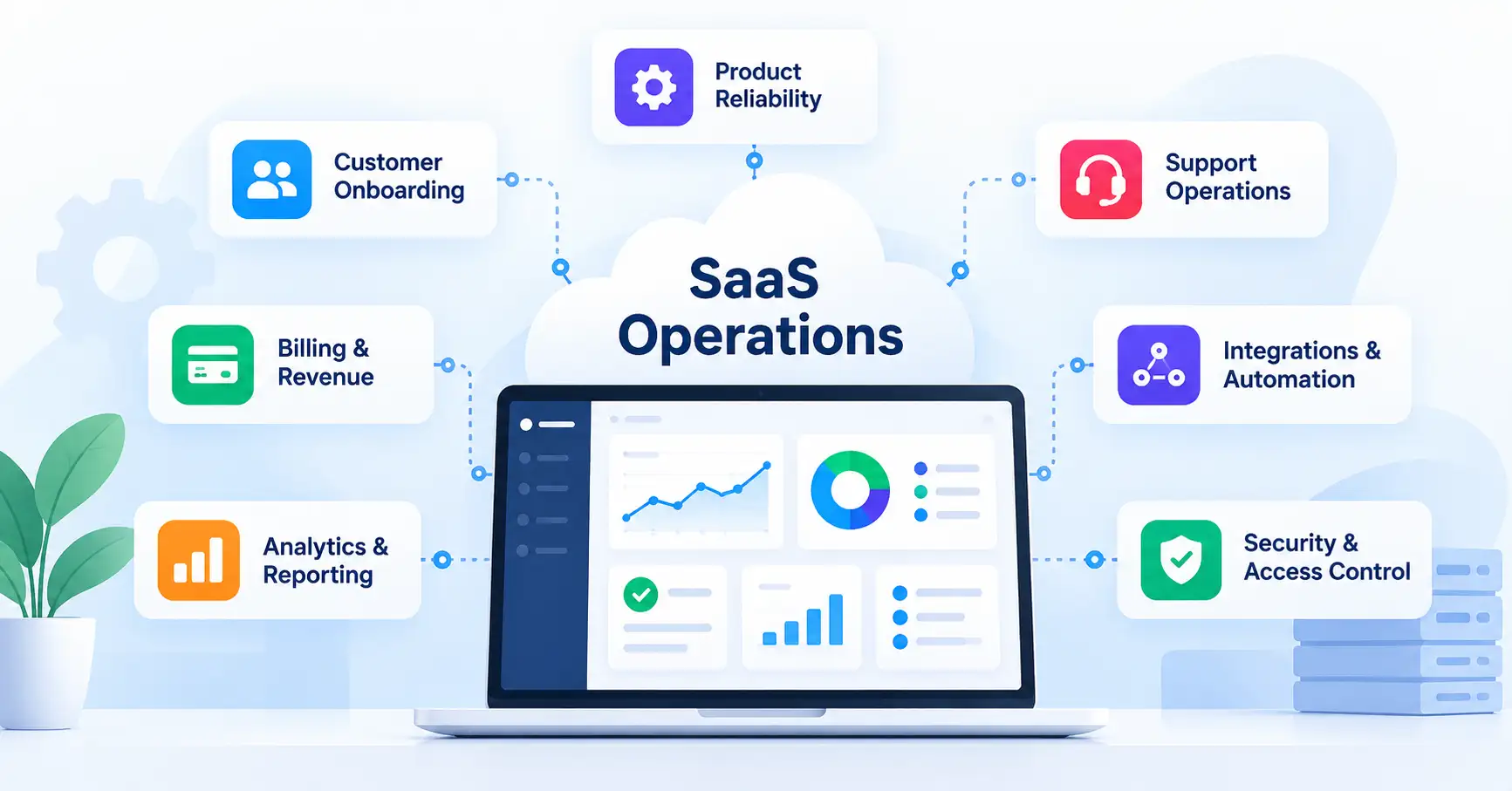
Running a SaaS business takes more than developing a product and attracting customers. Teams also need to manage software releases, customer onboarding, billing, support, integrations, security, and operating costs all without compromising service reliability as the business grows.
That’s where SaaS operations makes a difference. The right processes and systems can cut down on manual work, help teams resolve issues faster, control costs, and deliver a more consistent customer experience.
This guide covers the essential SaaS operations processes, tools, and best practices, along with practical steps founders and growing teams can use to improve efficiency.
What Is SaaS Operations?
SaaS operations encompasses the people, processes, and systems responsible for delivering, maintaining, and improving a software as a service business. It includes the technical work needed to keep a product running and the business processes that support customers and revenue.
For example, a SaaS company might use monitoring software to spot service disruptions, automate customer onboarding, connect its CRM with billing software, and review support performance each week.
Although related, SaaS operations differs from SaaS management and DevOps.
| Discipline | Primary focus |
| SaaS operations | Coordinating the processes and systems required to run and grow a SaaS business |
| SaaS management (SaaSOps) | Managing an organization’s SaaS applications, licenses, access, and spending |
| DevOps | Improving software development, testing, deployment, and collaboration between development and operations teams |
These disciplines often overlap. The emphasis depends on whether you’re running a SaaS product for customers or managing software subscriptions within your own organization.
Core Components of SaaS Operations
Effective SaaS operations brings together several technical and business functions.
1. Product delivery and reliability
Customers expect SaaS products to remain available, perform well, and protect their data. Teams need monitoring tools, tested deployments, reliable backups, and a clear incident response process to detect problems and restore service.
2. Customer onboarding and support
A good onboarding experience helps customers reach their first meaningful outcome without unnecessary delays. Standardized setup procedures, useful documentation, and clearly assigned support responsibilities reduce confusion and repetitive work.
3. Billing and revenue workflows
Subscription changes, invoices, renewals, and failed payment follow ups all require dependable processes. Automating routine billing tasks can reduce errors, but refunds, unusual transactions, and billing disputes still need appropriate checks.
4. Integrations and workflow automation
When business applications operate in silos, teams often waste time entering the same information in multiple places. Connecting CRM, marketing, billing, analytics, and support systems helps keep data consistent across workflows.
For instance, when a customer upgrades a subscription, an integration could update the billing record and notify the customer success team automatically.
5. Security and access control
Operational security involves reviewing permissions, removing access when employees leave, protecting customer information, and maintaining suitable backup and recovery procedures. Each responsibility should have a clear owner rather than relying on informal arrangements.
Microsoft’s SaaS workload guidance also emphasizes reliability, security, cost management, governance, and incident management as important operational considerations.
How to Build an Effective SaaS Operations Framework
You don’t need a dedicated operations department to establish sound processes. Small teams can make meaningful improvements by starting with a few practical steps.
1. Audit existing processes
Trace how work moves between teams and applications. Look for recurring delays, duplicate data entry, preventable errors, and tasks that depend on one person’s knowledge.
2. Assign clear ownership
Every critical process needs someone accountable for its outcome. Engineering might handle incident resolution, finance could oversee billing reconciliation, and customer success might own onboarding outcomes.
3. Standardize important workflows
Document the steps involved in recurring activities such as customer onboarding, production releases, access reviews, and incident escalation. Keep procedures straightforward enough that team members can follow them without constant guidance.
4. Automate repetitive tasks
Start with predictable activities that occur frequently. Examples include routing support tickets, synchronizing customer records, and notifying the team when a payment fails. Before relying on automation, add validation checks and alerts for failed workflows.
5. Measure and improve
Establish a baseline before changing a process. Once the change is in place, compare the results, investigate unexpected outcomes, and make adjustments based on evidence rather than assumptions.
If you’re introducing new platforms or redesigning existing workflows, SaaSyntic’s guide to the SaaS implementation process offers additional guidance on planning, integration, testing, and adoption.
SaaS Operations Best Practices for Growing Teams
The purpose of an operating model is to make work more manageable, not to create unnecessary procedures.
- Focus on high impact problems. Address recurring billing errors or slow onboarding before automating tasks that rarely occur.
- Keep systems connected. Define which application owns each type of data to prevent conflicting customer records.
- Make security part of daily operations. Review permissions, protect sensitive information, and test recovery procedures.
- Document critical workflows. Ensure essential tasks can continue when the usual owner is unavailable.
- Review operating costs. Look for unused subscriptions, overlapping tools, unnecessary infrastructure, and automation expenses that exceed their value.
- Measure the results. Compare performance before and after a change, then check whether the improvement continues over time.
One trade off deserves particular attention: automation can save time, but it can also introduce complexity. Automating a stable, well understood process often makes sense. Automating a poorly defined workflow may simply cause errors to happen faster and make them harder to troubleshoot. Improve the process first, then automate it.
Best SaaS Operations Tools and Technologies
The best SaaS operations tools depend on your business model, team size, and existing technology stack. Buying a separate platform for every problem can increase costs and create more systems to maintain.
| Tool category | Example tools | Typical use |
| Project and task management | Jira, Asana | Assigning work, managing dependencies, and tracking progress |
| Workflow automation | Zapier, Make | Connecting applications and automating repetitive tasks |
| Billing and subscriptions | Stripe Billing | Managing recurring payments, invoices, and subscription changes |
| Monitoring and incident response | Datadog | Monitoring service health, investigating errors, and identifying performance issues |
| Team communication | Slack | Sharing operational updates and coordinating incident response |
These are examples rather than a universal shortlist. Before choosing a platform, assess integration compatibility, pricing, permissions, support, and data export options.
Native integrations vs. automation platforms vs. custom APIs
Each approach has its place.
- Native integrations are usually the simplest option when your applications already support the required workflow.
- Automation platforms work well when multiple applications need to exchange information without a custom development project.
- Custom APIs provide more control over complex or business critical workflows but require development, testing, monitoring, and ongoing maintenance.
For a small team, native integrations may be sufficient. More complex workflows might justify an automation platform or custom integration. Base the decision on reliability and total ownership cost rather than the number of features available.
SaaS Operations Metrics and KPIs to Track
SaaS operations KPIs help teams determine whether processes are becoming more efficient and reliable.
| KPI | What it measures |
| Customer onboarding time | How long new customers take to complete onboarding |
| Mean time to recovery (MTTR) | How long it takes to restore service after an incident, using a consistent measurement method |
| Support response time | How quickly the team responds to customer requests |
| Workflow failure rate | How often automated processes fail or require manual intervention |
| SaaS spend per customer | The software or service cost allocated to each customer using a consistent cost definition |
| Failed payment recovery rate | The proportion of failed payments successfully recovered within a defined period |
Tracking every possible metric isn’t necessary. Choose a small set that reflects your current priorities. If customers are struggling with onboarding delays, for example, start by measuring onboarding time and completion rates before investing in more automation.
Common SaaS Operations Challenges and How to Solve Them
Disconnected tools: Information becomes scattered across applications. Establish a source of truth for each record and connect only the workflows that need to share data.
Rising operational costs: Software subscriptions and infrastructure expenses can grow faster than expected. Review actual usage, remove redundant tools, and weigh cost savings against reliability requirements.
Unclear ownership: Issues remain unresolved when nobody knows who is responsible. Assign a primary owner and an escalation path to every critical process.
Over automation: Complex workflows become difficult to maintain. Begin with simpler automations, document dependencies, and alert the appropriate person when something fails.
Scaling too quickly: A process that works for ten customers may struggle with a thousand. Reassess capacity, permissions, customer isolation, and incident procedures as usage grows. Microsoft’s SaaS design principles provide further guidance on balancing reliability, security, performance, and cost.
FAQ’s
1. What are SaaS operations?
SaaS operations covers the processes, systems, and responsibilities involved in delivering and maintaining a SaaS product and running the business around it. Common areas include reliability, customer onboarding, billing, support, security, integrations, and cost management.
2. What is the difference between SaaS operations and DevOps?
SaaS operations takes a broader view of business processes and service delivery. DevOps focuses on improving software development, testing, deployment, and collaboration between development and operations teams. DevOps is often one part of a SaaS company’s overall operating model.
3. Which tools are best for SaaS operations?
There is no single toolset that works for every business. Start with your existing systems for project management, billing, customer support, monitoring, and automation. Introduce additional tools only when a clear operational need justifies the cost and maintenance.
4. How can startups improve SaaS operations?
Start by documenting recurring workflows, assigning clear ownership, automating repetitive tasks, tracking a few meaningful KPIs, and reviewing security and costs regularly. Prioritize the issues that have the greatest effect on customers or business performance.
Conclusion
Effective SaaS operations gives growing businesses the structure they need to deliver a reliable product without making everyday work unnecessarily complicated.
Start by identifying bottlenecks, clarifying ownership, and standardizing essential processes. Introduce automation where it offers measurable value, monitor the results, and refine the operating model as the business evolves.
The objective isn’t to buy more tools or automate everything. It’s to build dependable, secure, and cost effective operations that support sustainable SaaS growth.