

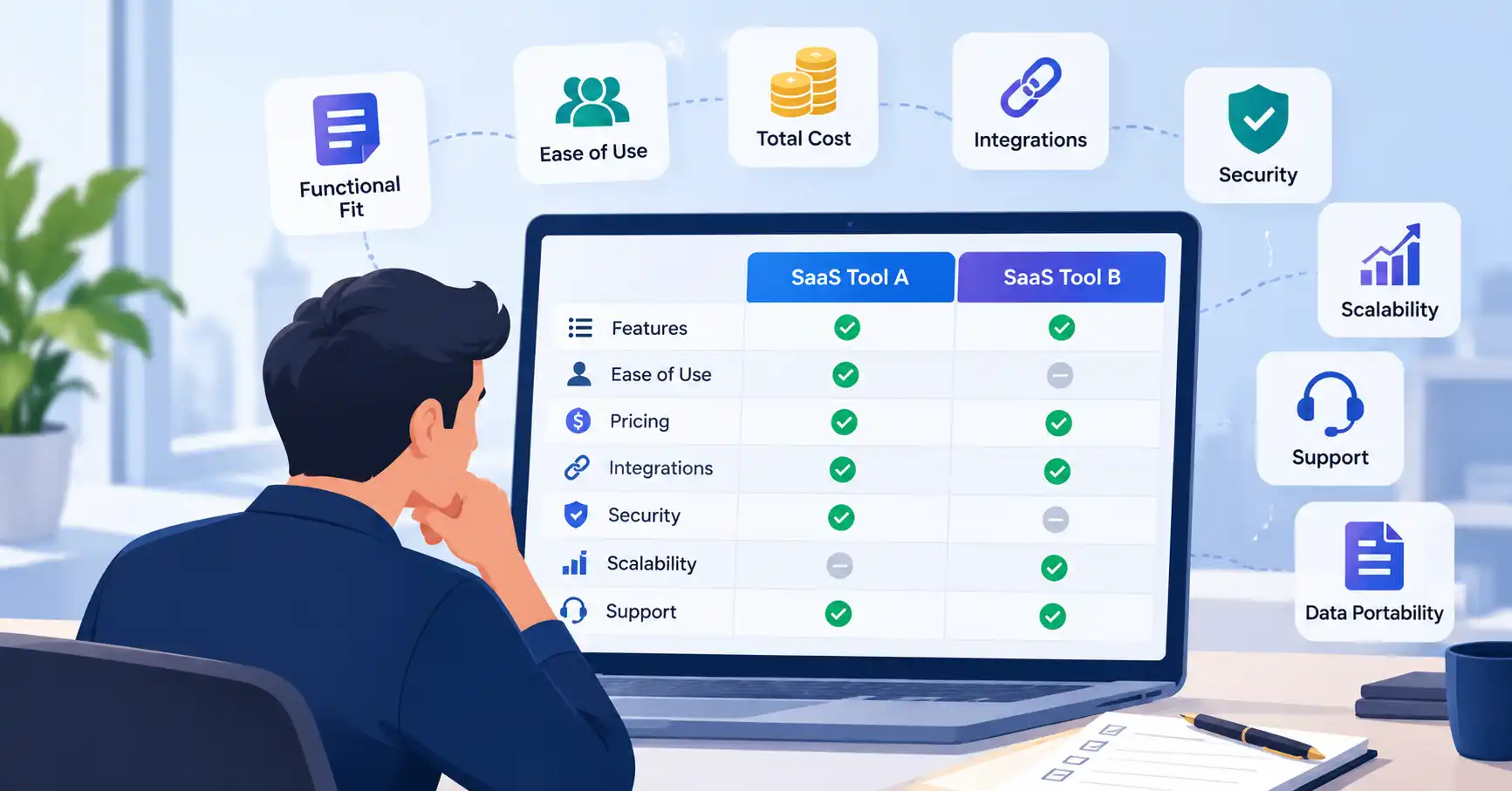
Choosing SaaS software takes more than comparing feature lists and subscription fees. A product may look great in a demo, only to cause problems later because it doesn’t work with your existing systems, takes too long for employees to learn, or becomes more expensive as your business grows.
A structured evaluation helps you look beyond sales pitches and determine whether a tool actually fits your needs. Whether you’re considering a CRM, marketing automation platform, analytics solution, or AI application, the right SaaS software evaluation criteria can help you make a more confident decision.
In this guide, we’ll cover ten factors worth assessing, a practical scoring framework, and the mistakes to avoid before committing to a subscription.
What Are SaaS Software Evaluation Criteria?
SaaS software evaluation criteria are the standards businesses use to determine whether a cloud based application meets their technical, operational, financial, and security requirements.
Using consistent criteria makes it easier to compare products on their merits rather than relying on sales presentations or personal preferences. It also helps uncover trade offs that might not be obvious at first.
For instance, a startup may value an affordable CRM with simple workflows, while a larger marketing team might prioritize integrations, reporting capabilities, and access controls.
If you need guidance on the broader selection process, our guide to the SaaS vendor evaluation process explains how to assess vendors and work toward a final decision.
10 Essential SaaS Software Evaluation Criteria
1. Functional Fit
Start with what the software needs to do for your business. A long list of features doesn’t automatically make a product the right choice.
Organize your requirements into three groups:
- Must have: Features your essential workflows depend on.
- Important: Capabilities that improve productivity but aren’t essential.
- Nice to have: Features that could become useful later.
Suppose you’re evaluating marketing automation software. Email campaigns, CRM integration, and campaign reporting might be essential, while advanced attribution features could wait.
What to check: Test the tasks your team performs regularly. Focus on business requirements rather than features that look impressive but are unlikely to be used.
2. Ease of Use
Even powerful software can fall short if employees struggle to use it. A confusing interface or lengthy onboarding process can make adoption harder than expected.
During a trial, ask people in different roles to complete everyday tasks without step by step guidance. Pay attention to how easily they navigate the interface, find information, and finish their work.
The trade off: A simpler product may be easier to adopt, while a more advanced platform might offer greater customization. Choose a level of complexity your team can realistically handle.
3. Total Cost of Ownership
The subscription fee tells only part of the story. Total cost of ownership (TCO) can also include implementation, data migration, training, extra user licenses, premium support, integrations, and usage based charges.
| Cost component | What to evaluate |
| Subscription | Monthly or annual fees and billing terms |
| User licenses | Additional seats and permission tiers |
| Implementation | Setup, migration, and configuration |
| Usage charges | API calls, storage, contacts, or AI credits |
| Ongoing costs | Training, integrations, and support |
| Exit costs | Data export, migration, and contract termination |
Compare expected costs over the same period, such as 12 months, for every shortlisted product.
A CRM with a lower starting price, for example, may cost more overall if essential automation or reporting requires a higher tier plan. Ask vendors to clarify pricing limits and potential additional charges before signing.
4. Integration and API Capabilities
Most SaaS products need to work alongside other business systems. Your chosen tool may need to exchange data with a CRM, payment platform, analytics solution, email service, or internal application.
Check for native integrations, API access, webhooks, and compatibility with integration platforms. Also confirm which capabilities are included in your subscription tier.
Put it to the test: If you’re considering an email marketing platform, check whether it synchronizes contacts with your CRM, maps the necessary fields correctly, and makes campaign activity available for reporting.
Don’t take an integration listing as proof that everything will work as expected. Test the data flow and look for technical limitations or additional costs.
5. Security and Privacy
Evaluate security before uploading sensitive business or customer data.
Review access controls, authentication options, encryption practices, data retention policies, incident response procedures, and contractual responsibilities. Where your industry or customers have specific compliance requirements, ask for relevant evidence.
AI tools require additional questions. Find out whether submitted information may be used to train models, how long prompts and uploaded files are retained, and what controls administrators have over access.
The NIST Cybersecurity Framework and the AICPA’s SOC resources offer useful starting points for structuring these questions. Neither replaces an assessment of the specific product and its risks.
Decision rule: If a product fails a mandatory security or privacy requirement, remove it from consideration, regardless of its overall score.
6. Scalability
Consider whether the software can keep pace with your expected growth in users, data, transactions, and workflow complexity.
Ask vendors about usage limits, API rate limits, storage restrictions, upgrade requirements, and how pricing changes as usage increases.
A startup might begin with a basic analytics platform, for example, but need higher data limits or more advanced reporting as its traffic grows.
You don’t need to pay for enterprise capabilities before you need them. However, understand what upgrading will involve and how much it could cost.
7. Reliability and Performance
Slow response times, recurring outages, and failed integrations can interrupt everyday work. For business critical software, reliability deserves careful attention.
Review the provider’s service level agreement (SLA), published uptime commitments, available incident history, and process for handling service disruptions.
An uptime commitment doesn’t guarantee that every feature will always work. Check exactly what the SLA covers, which exclusions apply, and whether service credits or other remedies are available.
It’s also worth asking how the provider handles backups, recovery, and service continuity when a disruption occurs.
8. Customer Support
Support becomes particularly important when a technical issue blocks an essential business workflow.
Look at available support channels, operating hours, onboarding assistance, documentation, and escalation procedures. Check whether response time commitments apply to your subscription plan.
You can get an early sense of the support experience by asking a specific technical question during the trial.
Don’t judge support solely by how quickly the sales team responds. The support you’ll receive after purchasing, along with the provider’s actual service commitments, matters more over the long term.
9. Customization and Flexibility
Your software should accommodate the way your team works. Depending on the product, that might mean customizable fields, dashboards, permissions, workflows, templates, or automation rules.
More flexibility isn’t always better, though. Extensive customization can increase setup time and make ongoing maintenance more complicated.
A project management platform with configurable workflows might suit a growing team with varied processes. A smaller team with straightforward requirements may be better served by a simpler tool.
Choose customization that addresses a genuine need rather than adding complexity for its own sake.
10. Data Portability and Vendor Stability
Before committing to a platform, make sure you have a workable way to retrieve your data if you switch providers or cancel your subscription.
Check supported export formats, API access, export restrictions, post cancellation retention periods, and any fees associated with leaving. Confirm that you can retrieve the records your business needs to continue operating.
You should also assess the vendor’s ability to support your business over time. Look at product updates, support commitments, business continuity information, and evidence that the provider can meet your requirements.
No evaluation can predict a vendor’s future with certainty. The aim is to understand your dependency on the product and plan for a potential transition.
How to Score SaaS Software Evaluation Criteria
A SaaS evaluation framework gives your team a consistent way to compare products. Assign a weight to each criterion based on how much it matters to your business.
Build a weighted evaluation scorecard
Use the following example as a starting point, then adjust the weights to reflect your priorities.
| Criterion | Weight |
| Functional fit | 20% |
| Ease of use | 10% |
| Total cost | 15% |
| Integrations | 10% |
| Security and privacy | 15% |
| Scalability | 10% |
| Reliability | 5% |
| Customer support | 5% |
| Customization | 5% |
| Data portability and vendor stability | 5% |
| Total | 100% |
Rate each shortlisted product on a scale of 1 (poor) to 5 (excellent). Then calculate the weighted score:
Weighted score = (Rating ÷ 5) × Weight
For example, a product that scores 4 out of 5 for functional fit earns 16 points when that criterion carries a 20% weight.
Add the weighted scores to calculate the product’s overall result out of 100. Apply the same criteria, weights, and testing process to every product so the comparison remains consistent.
Keep one important distinction in mind: a high overall score shouldn’t compensate for a failed security requirement or an essential integration that doesn’t work. Treat mandatory requirements as pass/fail checks before comparing the final scores.
How to Validate Your Evaluation Before Choosing a Tool
A scorecard is only useful when it’s based on how the software performs in practice. Before making your decision, work through these steps:
- Shortlist two or three products. Focus on options that meet your essential requirements.
- Test realistic workflows. Use a free trial, demonstration, or proof of concept to assess the tasks that matter most.
- Verify vendor claims. Request documentation covering pricing, integrations, security, support, and service commitments.
- Involve end users. Get feedback from the people who will work with the software every day.
- Review the evidence. Compare scores, identify deal breakers, and estimate ongoing costs before choosing a product.
For example, a small business comparing CRM platforms could test contact imports, lead assignment, email synchronization, and reporting. A demo might show that each feature works individually, but testing the complete workflow can reveal integration problems that would otherwise go unnoticed.
Common SaaS Evaluation Mistakes to Avoid
Even a well planned evaluation can lead to the wrong choice if the team focuses on the wrong things.
- Choosing the cheapest option: Low subscription fees can hide extra usage, integration, and implementation costs.
- Chasing more features: Additional functionality isn’t valuable if it doesn’t solve a real business problem.
- Skipping hands on testing: A sales demo may not reflect how the product performs with your own data and workflows.
- Ignoring long term flexibility: Restricted exports or expensive upgrades can make future changes harder.
- Using the same priorities for every tool: Security may be non negotiable for financial software, while ease of use may matter more for a straightforward team productivity application.
Before making a purchase, use our SaaS buying checklist for small businesses to review the wider purchasing process and catch anything you may have missed.
FAQ’s
1. What are the most important SaaS evaluation criteria?
Functional fit, total cost, ease of use, integrations, security, scalability, and reliability are common priorities. The relative importance of each depends on the software category, your business requirements, and the risks involved.
2. How do you compare SaaS tools objectively?
Create a scorecard, assign weights to each criterion, and evaluate every product against the same requirements. Base your ratings on trial results, documentation, pricing details, and vendor responses rather than impressions alone.
3. How should businesses weight SaaS evaluation criteria?
Give greater weight to the factors that have the biggest impact on business outcomes. Integrations, for example, may be essential for marketing automation software, while security and auditability may take priority for applications handling sensitive information. Keep mandatory requirements separate from weighted scores.
4. What should a SaaS evaluation scorecard include?
Include the criteria, their weights, product ratings, supporting evidence, estimated costs, identified risks, and mandatory pass/fail requirements. Record unanswered questions, too, so your team knows what needs to be verified before making a commitment.
Conclusion
The best SaaS product isn’t necessarily the one with the longest feature list or the lowest advertised price. It’s the one that meets your business needs, fits your budget, works with your existing systems, and remains practical as your requirements change.
Use these ten SaaS software evaluation criteria to compare shortlisted products consistently. Test them against real workflows and base your decision on evidence, not promises. Above all, identify your non negotiable requirements before scoring the options, so an impressive overall rating doesn’t hide a critical weakness.
Taking the time to evaluate software carefully before signing a contract can help your team make a more informed choice and avoid unnecessary costs and implementation problems.