

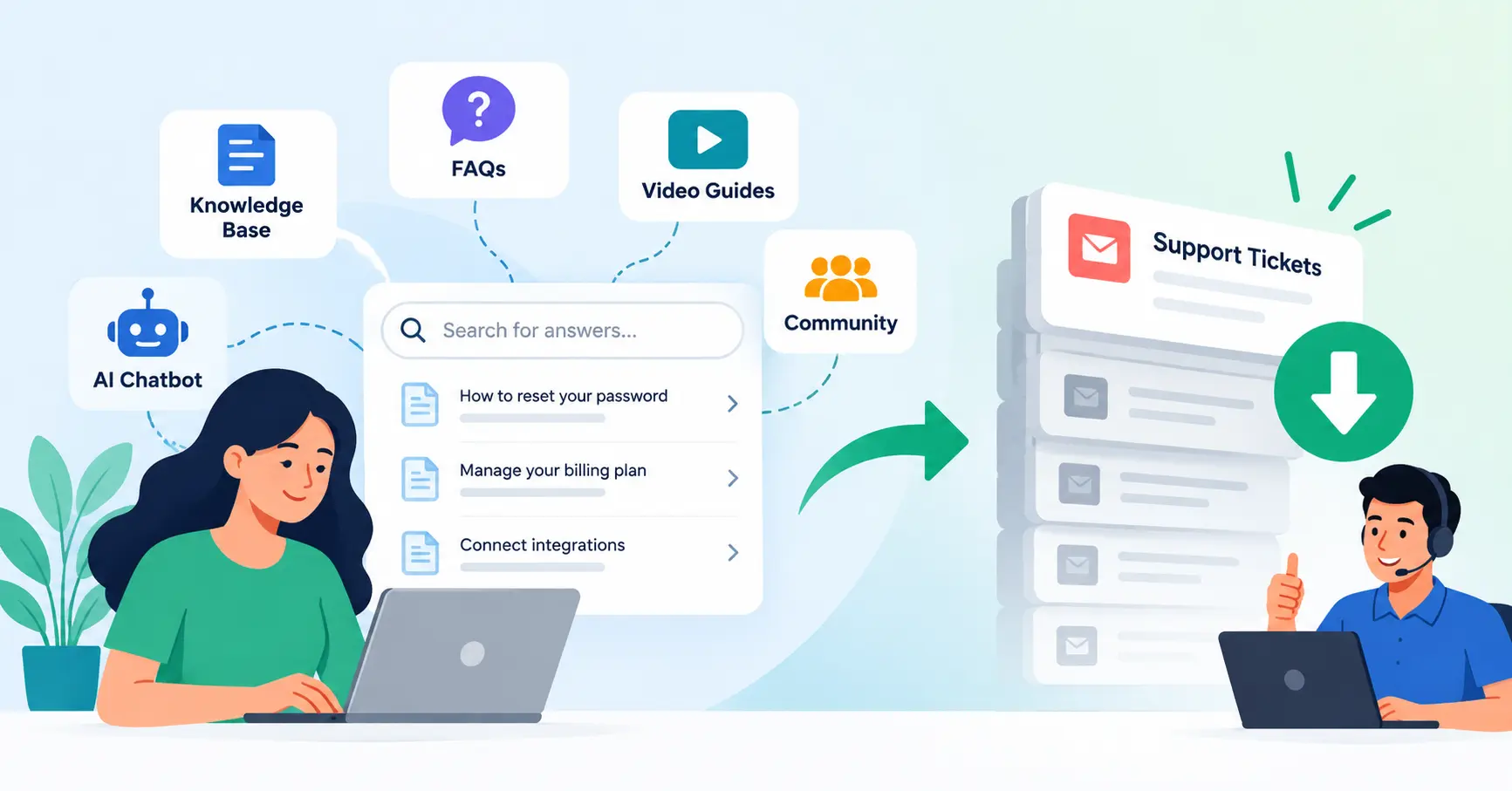
SaaS ticket deflection is about user power. Let them fix their own simple problems. This cuts out the support queue for them. Think FAQs or chatbots, guiding them away from needing a live agent. Always.It completely slashes repetitive support queue loads and hands answers over much quicker. That matters. What is deflection? Its importance, how to set it up, and what can go wrong. This guide has you covered.
Table of Contents
- What is SaaS Ticket Deflection
- Why SaaS Ticket Deflection is Important
- Step by Step Guide
- Best Practices and Tips
- Common Mistakes
- Tools for SaaS Ticket Deflection
- FAQs
- Conclusion
What is SaaS Ticket Deflection
SaaS ticket deflection just means getting users to solve their own problems, so your support team isn’t swamped. Give ’em the tools: knowledge bases, FAQs, product docs, user forums, even automated replies or AI bots.
Imagine this: someone needs a password reset. They don’t open a ticket. They find a quick guide in the help center and handle it themselves. They just do it themselves.
That is ticket deflection right there.
Here is the catch, though. Deflection isn’t about blocking people from reaching support. It is about grabbing the right fix instantly. Zendesk nails it. They champion self service, deploying FAQs, chatbots, and those helpful guides to obliterate ticket volume. It just works.
Why SaaS Ticket Deflection is Important
Deflecting tickets smartly, Customer happiness soars. Support gets breathing room.
- It cuts down on repetitive tickets.
- Agents waste less hours repeating answers to basic questions, Response times get better, too.
- A smaller queue means staff can jump on tricky issues fast, Customers get answers quicker without waiting around for a human.
- Support costs drop because folks fix easy problems themselves.
- Plus, it puts product flaws right out there. Constant complaints? That’s a yell for fixes to busted onboarding or clunky interfaces.
If users are swamping support with complaints about a glitchy integration, just throwing more agents at it won’t solve the real problem. The fix? A better integration guide or a simpler setup process. That way, the tickets never even start.Simple as that.
For a broader view of support performance, see the Saasyntic guide to SaaS customer support metrics.
Step by Step Guide
Step 1: Identify Your Most Common Support Questions
Pull your current support data. Pull up tickets from the last one to three months. Group them by topic. Honestly, you’ll probably spot a massive pile of the same old stuff: password resets, billing questions, account tweaks, messy integrations, or basic product features.
Make a list of these frequent questions and rank them by ticket volume.That matters.
Suppose two hundred and fifty tickets pile up in a single month about billing invoices. That exact topic needs to jump straight to the top of your priority list for self service content.
Step 2: Create Useful Self Service Content
Turn common questions into intuitive tools. Start with practical features that truly help users finish their daily tasks.Useful formats include:
- Step by step help articles
- Frequently asked questions
- Product documentation
- Troubleshooting guides
- Short videos
- Setup checklists
- Integration guides
Skip massive guides, Keep it simple. One single piece must fix just one precise problem, and nothing more. - A rock solid SaaS knowledge base anchors your self service strategy. Why? Customers track down answers themselves, completely bypassing the support queue.
Step 3: Put Answers Where Customers Need Them
Great docs are only half the battle. People need that precise fix right when panic strikes.
Add relevant help content to:
- Your help center
- Product onboarding flows
- Support forms
- In app messages
- Search results
- Automated email responses
- Chat interfaces
Picture a user typing out a billing plan ticket. Pop up a matching article right then, before they hit send. That beats abandoning users inside a massive help center, forcing them to hunt through endless random guides entirely alone. Why inflict that?
Step 4: Add Automation and AI Carefully
Automation eats the repetitive questions before a human ever lays eyes on them, Chatbots tackle billing dates, password resets, basic product settings, or supported integrations. An intelligent assistant even digs up the right documentation depending on what a customer types out. That helps.
Still, automation can never turn into a brick wall.
When someone hits a tangled technical bug, a billing disaster, or an urgent emergency, hand them off to a person. Fast. The whole point here is shedding junk tickets, not locking people out of actual help when things go wrong.
Step 5: Measure Deflection and Improve
Track whether your self service content is actually reducing support demand.
Useful metrics include:
- Ticket volume by topic
- Help center searches
- Article views
- Failed searches
- Self service usage
- Repeat contact rate
- Reopened tickets
- Customer satisfaction
You can also calculate a self service ratio by comparing help center sessions with the number of users who submit support tickets. Zendesk tracks self service performance like this. If users keep searching for the exact same topic and then file a ticket anyway, your content is failing. It’s missing, hidden, or just plain useless.
Best Practices and Tips
- Start with high volume questions, Do not try to document your entire product at once. Focus on the issues generating the most tickets, Write for customers, not internal teams. Replace technical jargon with simple instructions wherever you can.
- Keep articles task focused. Buyers need fast SEO fixes now. Speak their exact language, using those exact search terms they punch into query boxes every single day.
- Review failed searches regularly. These logs reveal gaps your knowledge base misses. Keep content updated. Old screenshots, stale instructions, and wrong feature info only create more tickets.
- Connect support data with product improvements. Fix the broken product, Stop churning out endless help guides for frustrated, struggling users.
Your ticket deflection plan must weave tightly into your broader SaaS support ecosystem. Never isolate it as some rogue project drifting completely alone.
Common Mistakes
Creating Content Nobody Can Find
A huge knowledge base alone will never solve high ticket volume. If people cannot find answers, your team gets bothered anyway.
Deflecting Every Customer
Not every issue should be handled through self service. Complex technical problems and account specific requests often need human assistance.
Measuring Only Ticket Volume
Fewer tickets look good on paper, sure. But do users actually win? Combine raw volume metrics with satisfaction scores, repeat pestering, and self service success.
Writing Generic Help Articles
An article titled “Using Our Product” is less useful than a focused article such as “How to Connect Google Analytics to Your Account.”
Ignoring Product Problems
An extra help page fails entirely, Not when hundreds remain baffled by a truly confusing task. Improving the product experience could eliminate the problem entirely.
Tools for SaaS Ticket Deflection
| Tool | Best For | Useful Deflection Features |
| Zendesk | Larger support teams | Knowledge base, AI, automation, analytics |
| Intercom | Conversational support | AI assistance, help center, messaging |
| Help Scout | Small and mid sized teams | Knowledge base, shared inbox, self service |
| Freshdesk | Growing support teams | Knowledge base, automation, ticket management |
| Product documentation platforms | Technical SaaS products | Searchable documentation, guides, tutorials |
The best tool? Simple. It delivers exact answers instantly. When discussions stall, it smoothly transitions your customers straight to a live human agent without missing a beat.
Zendesk monitors queries, user habits, automated fixes, and help center metrics. It is brilliantly practical for teams measuring true ticket deflection, instead of blindly tossing random articles online.
FAQ’s
What is SaaS ticket deflection?
SaaS ticket deflection? Simple. It’s all about empowering users to solve everyday problems on their own, before they even think about hitting up support. Think knowledge bases, FAQs, chatbots, that whole self service shebang.
How does ticket deflection reduce support costs?
Let customers tackle the simple things. Then, support isn’t always slogging through the easy stuff. Agents can pour their energy into complex issues, you know, where we actually make a difference.
What is a good ticket deflection strategy?
Spot recurring tickets first. Write clear answers for those snags, tuck them right where users actually look. And track if people fix things without ever bugging your support desk.
How do you measure SaaS ticket deflection?
Ticket numbers matter, naturally. But also monitor self service adoption, help desk inquiries, how many articles get read, those frequent callers, and customer satisfaction scores. A healthy self service rate suggests folks are indeed finding their own solutions.
Does ticket deflection replace customer support agents?
Yeah, letting go of the easy tickets? It frees up agents. They can really get stuck into the tough, more satisfying customer issues. Of course, people still need a dead simple way to connect when self help just doesn’t cut it.
Conclusion
Trimming your SaaS support queue isn’t just about speed. It empowers users. That frees agents for genuinely thorny problems requiring real human empathy.
Start by auditing your heaviest ticket categories. Pinpoint those nagging, recurring questions. Then, craft lucid, direct knowledge base articles to tackle them head on. Crucially, ensure these resources are easily discoverable. Sprinkle in automated responses where appropriate, and then, without question, track the results.
The subsequent step is quite simple: examine your recent support tickets, Identify the top five most frequently asked questions. Those five queries form the bedrock of your ticket deflection strategy, a plan designed to ease your team’s burden and boost customer satisfaction.