

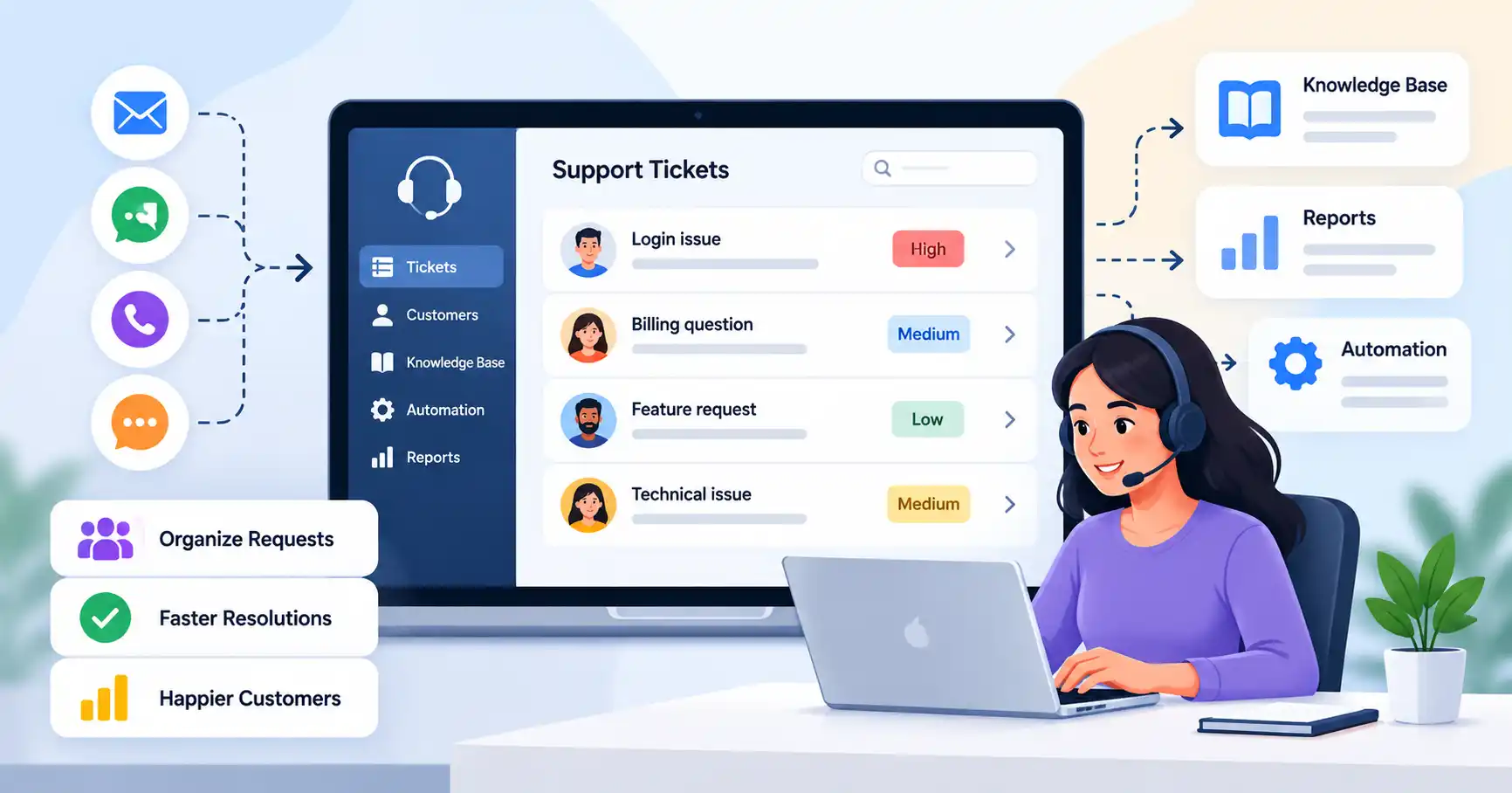
A SaaS help desk is basically a cloud based support hub. Software companies lean on it to wrangle customer questions, tricky bugs, and endless service tickets from one central spot. Without a structured setup, support teams often drown in messy shared inboxes, random spreadsheets, and scattered chats. That is precisely how urgent requests slip through the cracks, simple as that, A modern help desk fixes this chaos. It scoops up inquiries, converts them into neat tickets. And routes them straight to the right agent while tracking progress until complete. This guide breaks down what these systems are, why they truly matter, and how the workflow actually ticks. And how to build a real support process.
Table of Contents
- What is SaaS Help Desk
- Why SaaS Help Desk is Important
- Step by Step Guide
- Best Practices and Tips
- Common Mistakes
- SaaS Help Desk Tools
- SaaS Help Desk Tool Comparison
- FAQs
- Conclusion
What is SaaS Help Desk
A SaaS help desk is basically command central for all customer support issues coming at a software product. It piles ticket tracking, live chat, workflow automation, knowledge bases, analytics, and team tools into one shared workspace.
Think about this scenario. A user gets stuck trying to add a coworker to your project management software and fires off an email. Instead of vanishing into some messy inbox, the help desk grabs that message and converts it into a tracked ticket. It pulls in user data, routes the problem straight to the best agent, and follows the thread until the fix lands.
Your support crew gets a clear history of the bug. They knock out pending jobs way faster.
These desks also hook into other business software. Context matters. Pulling client details from a CRM or usage metrics straight from your app gives agents a huge head start before they even reply.
Want a wider view of the support side of a software business, Check out our guide to SaaS customer support.
Why SaaS Help Desk is Important
A help desk becomes increasingly important as customer volume grows and support requests become more complex.
- It corrals support chaos.
- Gone are the days of hunting through endless email chains and scattered chat threads while urgent problems automatically grab priority and route straight to the ideal agent.
- Managers finally get a sharp look at resolution speeds, incoming volume, and what customers actually feel.
- That is just the start. It triggers automation for boring chores like routing tickets, sending nudges, and swatting away repetitive questions completely.
- Self service knowledge bases finish the job nicely.
Robust loops connect support teams directly with product squads. When hundreds report that exact same glitch, it stops being a mere ticket, that glaring pattern exposes a structural flaw hiding in plain sight. Someone needs to finally patch it.
Step by Step Guide
Step 1: Collect Customer Requests
Requests pour in across every open channel at once. Email, live chat, random messaging apps. Suddenly, that incoming ping hits the help desk system instantly, Right then, it morphs straight into a trackable ticket. No delay. No lost messages, it simply lands precisely where it needs to go. This single record holds everything. Contact info, the raw message, past chats, and current status.
Say someone writes in about an automated report failing to run, the system logs a formal ticket right then and there. Nothing gets lost.
Step 2: Categorize and Prioritize the Ticket
Next up comes request classification. Common buckets cover billing, tech troubles, account access, product questions, and feature requests.
Priority? That depends on business impact, urgency, customer tier, or SLAs.
Take a password reset. Normal priority, usually. But a massive outage hammering hundreds of users at once demands instant escalation right away. No waiting around.
Step 3: Assign the Ticket to the Right Team
Every incoming request reaches the exact right person. Automated rules handle the heavy lifting, smartly sorting tickets by category, product area, language, customer tier, or current team workload. It works like magic.
This cuts out manual sorting entirely. No more tickets rotting in the wrong queue.
Take a billing question. It lands right with the billing support crew. An API error? Boom, technical support.
Step 4: Resolve the Issue
Once assigned, an agent claims the ticket, wades into the issue, messages the customer, and chases down an answer. To speed things up, they lean heavily on whatever is within arm’s reach, whether that means old internal notes, canned macros, product specs, resolved tickets. Or standard knowledge base writeups. Take an integration snag. The rep might toss over a quick walkthrough while quietly checking if the account even has the right permissions enabled to begin with. If things get truly messy, engineering or another specialist team takes the wheel.
Step 5: Close and Analyze the Ticket
When a problem’s licked, the agent closes the ticket. All that chat data? It’s saved, along with useful bits for reports. Support leads can then scan ticket volumes, how long things lingered before an answer and a fix, recurring issues, and customer feedback.Such feedback can alter product design or simple help guides. When buyers keep asking identical questions, it exposes a friction point. It demands action. Usually, this means an article needs serious clarity, or the entire layout requires an overhaul.Our piece on SaaS knowledge bases details how customer facing content trims those repetitive support duties.
Best Practices and Tips
1. Define Clear Ticket Categories
Simpler categories are better, Complex divisions just muddy the waters, don’t you think?
2. Set Priority Rules
Requests differ. We require precise definitions like low, normal, high, and critical, Real business impact should drive priority, not whoever shouts the loudest.
3. Build a Useful Knowledge Base
Turning common customer questions into quick guides is a smart move. Shoppers can find answers themselves. Agents get handy links. Simple.
4. Automate Repetitive Work
Help desks rely heavily on AI today. Tickets route themselves, statuses flip, alerts fire, and canned answers fly out instantly. No human needed for a beat. It just happens.
5. Track Support Metrics
Track metrics like first response time, resolution time, ticket volume, reopened tickets, and customer satisfaction. Don’t just chase speed. A fast answer that misses the mark only breeds more tickets down the road.
6. Connect the Help Desk With Other Systems
Link your help desk directly to CRM, billing, and analytics. Agents finally get sharp context while routine busywork simply vanishes. That helps immensely. Read our SaaS integration guide before choosing any setup.
7. Review Repeated Problems
Look beyond isolated tickets. When identical bugs resurface, investigate thoroughly. Is it a systemic product flaw, poor documentation, onboarding gaps, or a completely broken integration? Fix it.
Common Mistakes
1. Using the Help Desk as Only an Inbox
A proper help desk should never hoard tickets. Instead, skillfully weave automation, reporting, routing, and smart knowledge management into one surprisingly seamless, unbreakable support workflow.
2. Creating Too Many Ticket Categories
Too many categories make ticket sorting brutal, Start simple. Focus strictly on genuine operational differences today.
3. Automating Without Reviewing the Customer Experience
Automation saves time, still, clumsy bots frustrate buyers. Always keep a person nearby for tricky puzzles.
4. Ignoring Support Data
Support tickets expose product flaws. When identical complaints pile up, stop treating them as basic chores. View them as crucial intelligence. Listen.
5. Letting Knowledge Base Content Become Outdated
Old instructions can create more support requests instead of reducing them. Review important articles whenever the related product feature or workflow changes.
SaaS Help Desk Tools
Picking a customer support platform comes down to ticket volume, automation needs, third party hooks, and how messy your user journey actually gets.
Zendesk packs ticket management, advanced automation, detailed reporting, robust knowledge bases, and true omnichannel support into one single box.
Intercom mixes conversational chat, proactive messaging, smart automation, and help articles SaaS companies running product led support workflows simply adore it.
Keep it simple. Help Scout centers around shared inboxes and basic support workflows, suiting teams craving an uncluttered setup.
Freshdesk brings ticketing, multichannel reach, automation, and reporting for busy customer service units.
Jira Service Management handles standard help desk chores while tying support directly into broader IT service management chains.
SaaS Help Desk Tool Comparison
| Tool | Best For | Main Strength | Typical Use |
| Zendesk | Growing support teams | Ticketing and automation | Complex customer support |
| Intercom | Product led SaaS | Conversational support | Messaging and proactive support |
| Help Scout | Small and mid sized teams | Simple support workflows | Email based support |
| Freshdesk | Broad support teams | Multichannel ticketing | Customer service operations |
| Jira Service Management | IT and technical teams | Service management | IT and internal support |
Pick the platform fitting your real workflow. Never chase the tool boasting the longest feature list. Features barely matter anyway.
FAQ’s
What is a SaaS help desk?
Entirely web based, this cloud platform helps tech teams manage, prioritize, resolve, and clear support tickets without hassle. It just works.
How does a SaaS help desk work?
Most times, it’s pretty standard: a client flags an issue, a ticket pops up, and things roll toward a handoff. An agent jumps right in. Eventually, the fix goes live, and the case closes. Later, we pore over data to refine support for next time.
What is the difference between a help desk and a service desk?
A help desk fixes user problems, plain and simple. Service desks stretch much wider. They handle actual service requests, incident management, alongside a range of other IT service processes.
Can a SaaS help desk automate customer support?
Help desks already automate routing, sorting, and canned replies. Yet artificial intelligence pushes this much further, supercharging self service portals and genuinely helping agents navigate their daily grind. That changes everything.
When should a SaaS company use a help desk?
Time for a help desk once email, chat, and spreadsheets stop cutting it. Manual tracking gets messy fast. The goal here? Build a repeatable support workflow early on, One that actually scales up right alongside your customer volume.
Conclusion
A SaaS help desk gives support teams a solid way to wrangle customer questions and bugs from the first ping until things are fixed. Teams can ditch scattered chats. They centralize tickets instead, automate the boring stuff, route work smartly, and keep an eye on performance.
The practical starting point is pretty simple. Jot down your top customer complaints, map out ticket categories along with their priorities, hook the help desk up to the tools your crew already runs, and slap together a knowledge base for questions that pop up constantly.
As your SaaS scales, that help desk needs to turn into more than just a glorified inbox. It ought to double as a goldmine of customer feedback, helping support, product, and ops teams level up the entire user experience.