

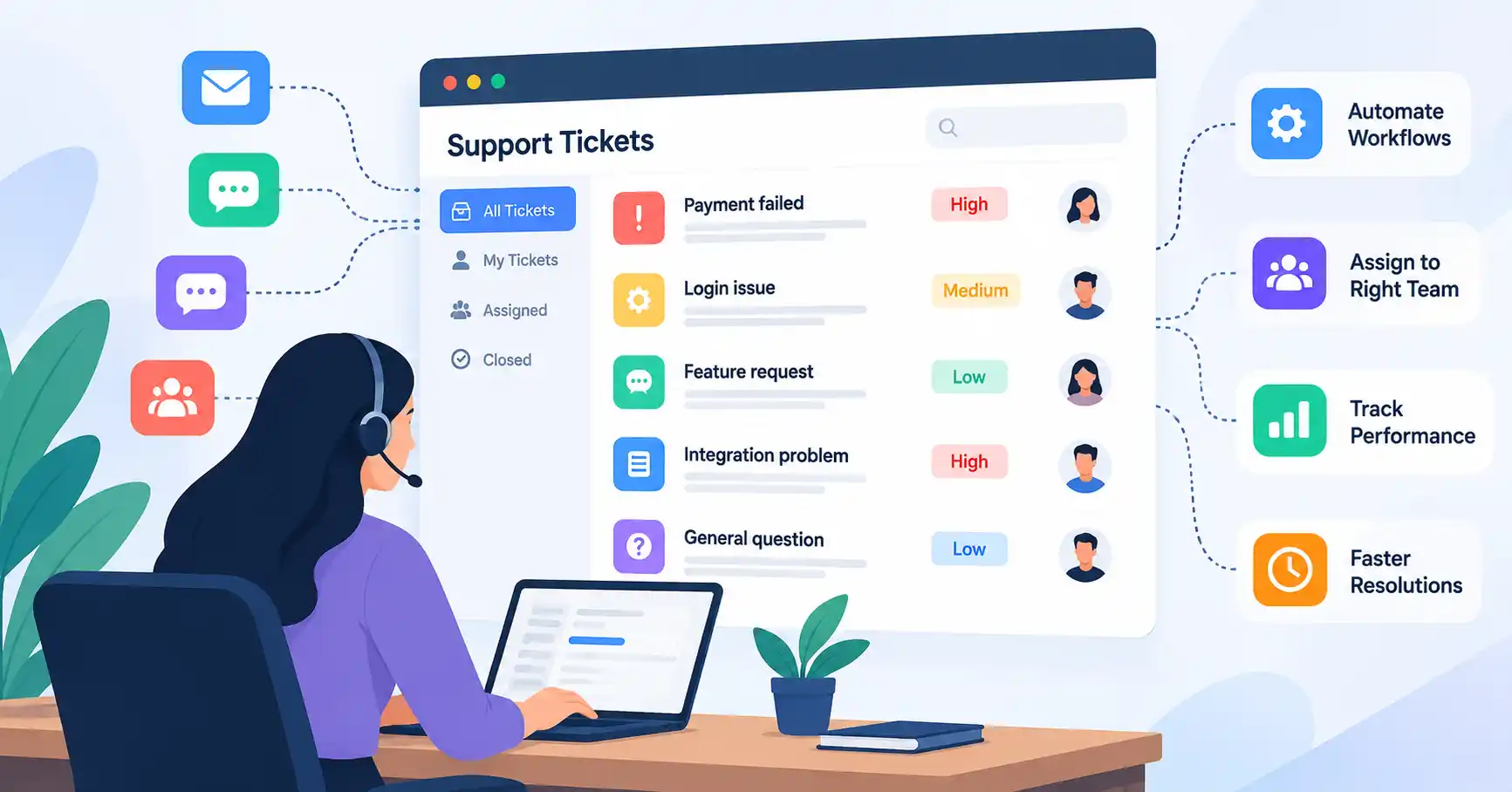
Handling SaaS support tickets means organizing, prioritizing, assigning, tracking, and ultimately fixing customer requests. When a company scales up, the volume gets messy fast, Tickets pour in from email, chat, web forms, and various other channels. It piles up. A structured workflow lets teams answer much faster without letting quality slip. This guide covers how to build an efficient workflow, rank issues, use automation, track performance, and dodge standard support pitfalls.
Table of Contents
- What is SaaS Support Ticket Management
- Why SaaS Support Ticket Management is Important
- Step by Step Guide
- Best Practices and Tips
- Common Mistakes
- SaaS Support Ticket Management Tools
- FAQs
- Conclusion
What is SaaS Support Ticket Management
SaaS support ticket management handles customer issues from the exact second they get submitted straight through to resolution. Every single request turns into a trackable ticket packed with details. We are talking about the customer’s name, the issue type, priority level, status, the person assigned to it, and the full chat history.
Picture this. A customer writes in because a payment failed even though their card got charged. The ticket lands in the system, gets slapped with a billing label, heads over to the right team, gets a priority score, and sits there being tracked until the money is sorted out. A solid ticketing system keeps all of this in one neat spot. No digging through messy email chains or random spreadsheets.
Modern systems do even more. They route tickets automatically, pull customer data, keep an eye on service level agreements, and spit out useful reports. Zendesk puts it simply: these tools help teams organize, prioritize, assign, and track customer requests until things are fixed.
For a broader understanding of the support function, see our guide to SaaS Customer Support.
Why SaaS Support Ticket Management is Important
A well managed ticket process becomes increasingly important as customer and ticket volume grows.
- Speed stops frustration.
- That is how real support works, Clear ownership ensures tickets never rot in a forgotten queue.
- When you prioritize ruthlessly, critical fires get extinguished before routine noise consumes your oxygen.
- Support metrics unearth recurring bugs and subtle pain points, Automation eliminates the repetitive grind.
- Agents finally solve actual problems.
Take onboarding, If hundreds flood support with identical complaints, don’t blame the team size. Look closer. That spike usually means the product documentation or the onboarding flow itself is broken and needs fixing fast.
Step by Step Guide
Step 1: Create Clear Ticket Categories
Map out what your support team handles. Categories usually span technical snags, billing questions, account lockouts, feature ideas, bugs, and general product how tos. Keep them straightforward so agents apply them correctly every single time. Too many choices ruin your reporting because agents just guess. Take a project management SaaS. Their ticket labels could simply be Billing, Login, Integrations, Bug Report, Feature Request, and Product Question.
Step 2: Define Priority and SLAs
Tickets crawl, race, or stall, Build clear priority tiers rooted deeply in customer impact and hard business urgency.
A critical issue could mean that an entire customer account cannot access the product. A medium priority ticket could involve a broken feature with an available workaround. A low priority request might be a general product question.
Set service level targets for each priority.Zendesk says you need SLAs. Why? So support staff and customers stay on the same page about response and fix times.
Take a SaaS firm, for example, they might aim for a one hour first reply on urgent bugs. Four hours for high priority. One business day for normal tickets..
Step 3: Route Tickets to the Right Team
Once tickets are sorted, route them straight to the proper person or team. Automated systems dump billing questions on the billing crew, tech problems on support, and integration headaches onto specialists. That is efficiency.
Smart routing cuts down on pointless handoffs. It saves customers from repeating their story over and over, lowering frustration across the board.
Take a failed Stripe integration. The system sends that ticket directly to an integration specialist, bypassing the general queue entirely. Boom. Resolved faster.
You can hook your support platform right up to CRMs, billing systems, and other SaaS tools. Check out our SaaS API Integration guide to see how these linked systems swap customer data without any manual help whatsoever.
Step 4: Automate Repetitive Tasks
Automation should strip away mindless tasks without driving customers nuts. Good systems handle ticket routing, confirmation notes, tagging, SLA warnings, follow up pings, and status bumps.
Take a password reset. A customer sends it. Instructions bounce back instantly. Just like that. Meanwhile, a real human focuses on the messy stuff needing genuine thought.
AI steps up too. It sorts incoming tickets, drafts reply ideas, pulls up knowledge, and bumps up tough issues. Modern ticketing platforms lean heavily on context and automation to speed up every single handoff.
Step 5: Track Resolution and Improve the Process
Stop measuring support just by closed tickets, A closed ticket doesn’t mean a happy customer with a fixed problem.
Track other stats instead. Look at first response time, average resolution time, first contact resolution, customer satisfaction, reopened tickets, backlog, and escalation rate.
Dig into recurring patterns. If one fifth of your tickets hit the exact same product feature, find out why. Maybe a quick documentation update, a product fix, or a smoother onboarding flow kills that ticket volume before it starts.
The real target is actual resolution. Not just shoving tickets out of the queue and calling it a day.
Best Practices and Tips
- Keep ticket ownership clear. Every open ticket needs one person responsible for driving it forward.
- Use consistent ticket tags. This makes reporting and trend analysis a lot more reliable.
- Build a useful knowledge base, Turn repeated questions into short, searchable help articles.
- Set realistic SLAs, Your promises have to match the team’s actual capacity and what customers expect.
- Use templates carefully. Saved replies speed things up, but agents must personalize them when the situation calls for it.
- Review the backlog regularly. Old tickets often hide unresolved customer problems and add dead weight to the team.
- Connect support with product teams, Repeated complaints and feature requests need to reach the folks building the actual product.
Review support categories monthly. When that exact headache returns yet again, stop dismissing it as a mere routine ticket. Address the root cause instead.
Common Mistakes
1. Treating Every Ticket as the Same
A critical outage and a simple product question shouldn’t share a queue. Without strict sorting, high priority issues sit too long. That hurts.
2. Measuring Only Ticket Volume
Clearing massive ticket backlogs feels productive, but did anyone actually get genuine help? Seldom.
3. Overusing Automation
Routine tasks fit automation, yet complexity demands otherwise. When trouble hits, users desperately crave a clear, dependable route to a real live person.
4. Ignoring Repeated Issues
If agents repeatedly solve the same problem, investigate the underlying cause. The solution could be better documentation, onboarding, product design, or engineering work.
5. Making Customers Repeat Information
Disconnected tools and poor handoffs can force customers to explain the same issue several times. Preserve conversation history and relevant account information throughout the ticket lifecycle.
SaaS Support Ticket Management Tools
The right platform depends on your support volume, team structure, customer journey, and automation requirements. The following comparison covers common options.
| Tool | Best For | Main Strength | Support Model |
| Zendesk | Growing support teams | Ticketing and workflow management | Omnichannel |
| Intercom | Product led SaaS companies | Conversational support and automation | Messaging and tickets |
| Help Scout | Smaller support teams | Simple support workflows | Email and help center |
| Freshdesk | Growing businesses | Multichannel ticket management | Omnichannel |
| HubSpot Service Hub | CRM focused teams | CRM and support integration | Connected service |
Choose the platform matching your actual workflow. Quit chasing bloated software just because it packs countless features. Make it fit your customer path, not the other way around.
Zendesk organizes tickets via dedicated tools. Intercom relies on messaging, native forms, and automated workflows instead to capture requests. Honestly, Both platforms just get the job done efficiently.
For additional guidance, you can review Zendesk ticketing system resources and Intercom customer ticket documentation.
FAQ’s
What is SaaS support ticket management?
Customer support, eh, A request lands, you eyeball it, prioritize, then assign, track, and ultimately, resolve. That’s the drill.
What should a SaaS support ticket contain?
Every solid ticket demands user details, core issues, urgency levels, and categories. Plus logs, attachments, assigned ownership, current status, and final resolution notes.
Which support metrics should SaaS companies track?
Track these metrics closely. Monitor first response time, average resolution, first contact resolution, satisfaction scores, ticket backlog, reopened tickets, and escalation rate.
Can AI automate SaaS support tickets?
Yes, AI sorts requests, suggests replies, and handles ticket routing, it pulls key details and summarizes chats fast. But tough issues? They still need a direct path to humans.
How can SaaS companies reduce support ticket volume?
Find recurring bugs first. Then fix the product usability, the manuals, the onboarding, and the help pages. Cutting support tickets at the root works way better than just hiring more agents. Scale wins.
Conclusion
SaaS support isn’t just about slamming tickets shut to pad your numbers. It means getting people to a real fix without making them jump through hoops.
First off, set up clean categories. Define your SLAs, route issues where they actually belong, let automation handle the grunt work, and track metrics that matter. Then dig into that ticket data. It’ll show you where your product and the user experience are rubbing people the wrong way.
Here is a practical move: pull your last 100 tickets. Spot the top five headaches, check how long they take to kill, and figure out how to stop them using automation, docs, or bug fixes.