

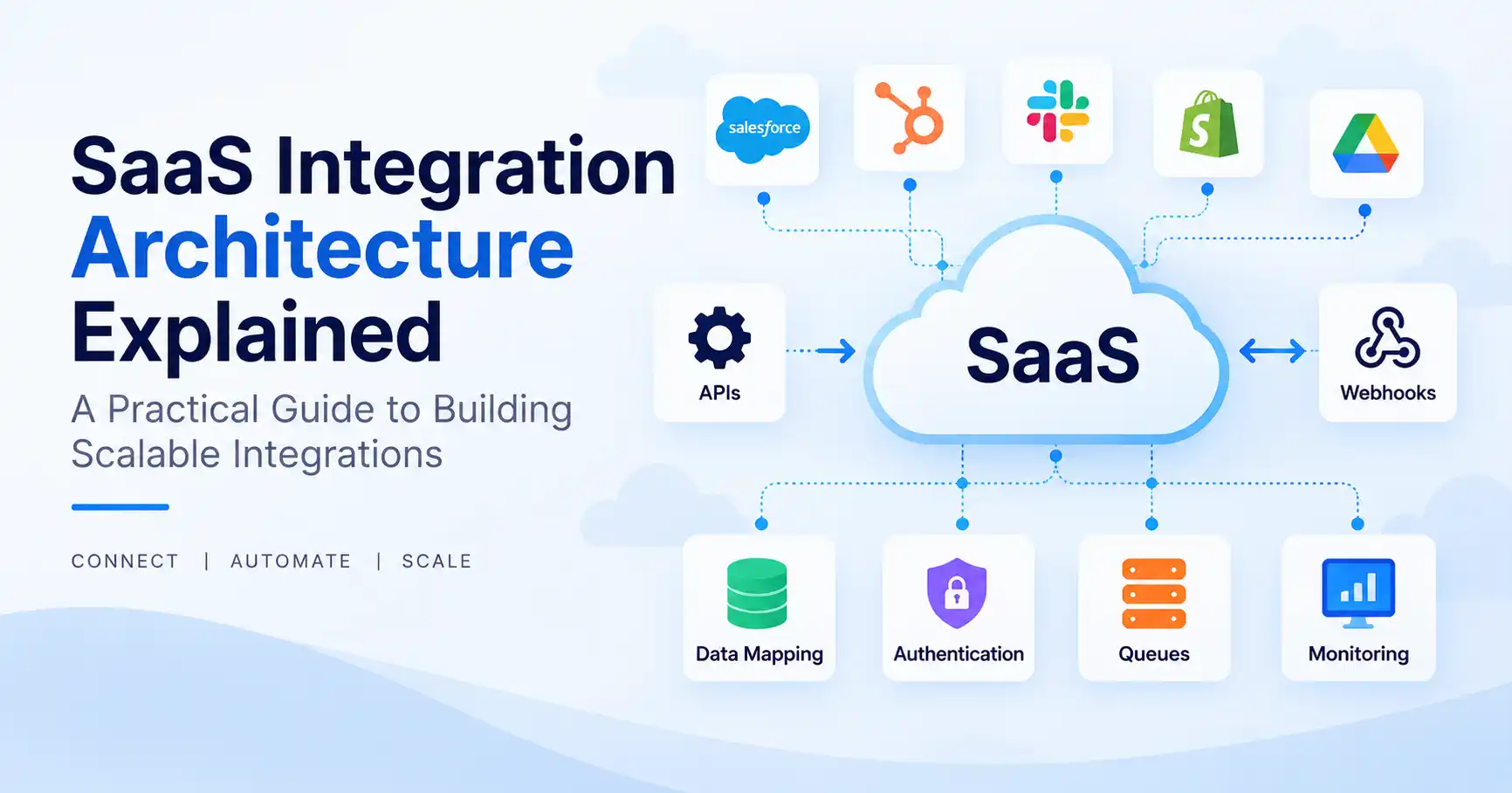
SaaS integration architecture dictates how cloud software communicates with external platforms, APIs, databases, and various external systems. Data must flow seamlessly, Without a clear blueprint, maintaining those connections becomes an absolute nightmare. Operations drag to a crawl. Customer records corrupt instantly. A robust design relies on webhooks, APIs, strict authentication, data mapping, message queues, and relentless monitoring. This comprehensive guide walks you through the mechanics, core design principles, common pitfalls to dodge. And the industry tools that actually make the job manageable.
Table of Contents
- What is SaaS Integration Architecture
- Why SaaS Integration Architecture is Important
- Step by Step Guide
- Best Practices and Tips
- Common Mistakes
- Tools for SaaS Integration Architecture
- FAQs
- Conclusion
What is SaaS Integration Architecture
SaaS integration architecture is the technical blueprint used to hook up a SaaS app with other software and services. It dictates how systems talk, how data flows, user logins, and what happens when an integration completely tanks.
Take a SaaS CRM tied to a payment gateway. A customer pays. The payment tool shoots a webhook over to the SaaS app. Right after that, the application updates the subscription status and pushes the data straight to customer support or analytics.
A standard setup usually packs APIs, webhooks, authentication layers, data transformation, queues, event processing, and monitoring tools.
Modern event driven setups generally split things into event producers, routers, and consumers, Systems run independently this way. They scale without messy, tight dependencies getting in the way.
Check our guide to SaaS integrations if you need a wider view of how these pieces connect.
Why SaaS Integration Architecture is Important
Solid architecture matters, Integrations slowly become your core software product experience long before you ever notice it.
- Keeps data synchronized across different platforms
- Makes integrations easier to scale as customers add more tools
- Reduces failures caused by tightly connected systems
- Improves security by controlling authentication and access
- Makes errors easier to detect, troubleshoot, and recover
Your software connects to ten platforms. Each brings messy APIs, bizarre auth schemes, strict rate limits, and custom formats. Total chaos. A dedicated integration layer steps in, shielding your core product from all that endless plumbing.
Step by Step Guide
Step 1: Identify the Systems You Need to Connect
Start by listing every external system involved in the workflow.
For example, a B2B SaaS platform might connect with:
- CRM software
- Payment platforms
- Email marketing tools
- Customer support software
- Analytics platforms
- Accounting systems
Document what data needs to move between each system and why.
Take customer data. It flows right from your app into a CRM. Meanwhile, payment status travels back from billing straight into your system.This simple mapping helps you understand the integration requirements before writing code.
Step 2: Choose the Right Communication Method
Next up: figuring out how systems talk to each other.
APIs fit best when your app needs to pull or push data. Webhooks, that is the reverse. They let an outside platform ping your app the second something happens.
Take a SaaS platform, it might call a CRM API to grab customer profiles. Later on, if a record shifts, that same CRM uses a webhook to alert your app right away.
Event driven architectures need something heavier. An event bus or message queue slips right in the middle, AWS breaks this down into sources, routers, and destinations. It works, Services stay completely decoupled.
Step 3: Design Authentication and Data Mapping
Every integration needs secure authentication and a clear data contract.
Depending on your provider, auth demands OAuth, tokens, or API keys, Guard those secrets carefully. Always restrict integrations to the absolute minimum permissions they actually require.
You also need to map fields between systems.
For example:
Your application: Customer Name
CRM: Contact Name
Billing platform: Customer
These might actually be the same business entity, despite the different field names used by each system. Build one solid internal model. Don’t let those messy, provider specific formats leak across your app.
Step 4: Add Queues, Retries, and Error Handling
External APIs can fail. Networks can become unavailable, providers can enforce rate limits, and webhooks can arrive more than once.
Instead of assuming every request will succeed, design for failure.
A queue can temporarily hold work while a service is unavailable. Retry logic can attempt failed operations again, while a dead letter queue can hold messages that repeatedly fail. AWS recommends queues such as Amazon SQS for durable communication and dead letter queues for messages that cannot be successfully processed.
An unexpected blackout halts a payment before it hits your database, Instead of vanishing entirely, it quietly waits in a queue. Safe and sound, it processes later.
Step 5: Monitor and Test the Integration
The final step is making the integration observable.
Track important information such as:
- API response errors
- Failed webhook deliveries
- Processing time
- Retry attempts
- Authentication failures
- Rate limit responses
- Successful and failed synchronization
Testing should cover normal workflows as well as failures.
For example, deliberately test what happens when an API returns an error, a webhook arrives twice, or an authentication token expires.
Event driven systems also benefit from tracing and clearly defined event contracts because distributed systems can otherwise be difficult to troubleshoot.
Best Practices and Tips
- Define a source of truth
Decide which system owns each important piece of data. For example, your billing platform might be the source of truth for subscription status. - Keep integrations loosely coupled
Ditch fragile SaaS webs where platforms lean on one another, Instead, leverage clever event queues to keep those ties loose. - Make webhook processing idempotent
A webhook may be delivered more than once. Your application should recognize duplicate events and avoid performing the same operation twice. - Design for API rate limits
External vendors vanish fast. Cache everything, batch your calls, run queues smoothly, and always retry smartly when failures happen. - Version your integration contracts
APIs and event formats can change. Versioning gives your team a safer way to introduce changes without unexpectedly breaking existing customers. - Monitor every important integration
Do not wait for customers to report that synchronization has stopped. Monitor failures and provide useful logs and alerts. - Secure customer credentials
Treat API keys like top secrets, Seriously. Restrict their access fiercely and rotate those credentials constantly without delay.
Common Mistakes
Building Point to Point Connections Everywhere
Connecting every application directly to every other application can create a difficult network of dependencies. As the number of integrations increases, maintenance becomes harder.
Ignoring Duplicate Events
Webhook providers may retry deliveries. If your application processes every delivery as a new event, it could create duplicate records or transactions.
Treating External APIs as Always Available
External APIs vanish. Yet, your internal systems must persist safely when outside services inevitably crash.
Mixing Provider Logic With Core Business Logic
If provider specific API code is scattered throughout your application, replacing or updating an integration becomes difficult. Keep provider specific logic inside dedicated integration components.
Skipping Observability
A technically successful integration can still produce incorrect data. Logs, metrics, event tracking, and reconciliation processes help identify problems before they become larger issues.
Tools for SaaS Integration Architecture
| Tool | Best For | Main Role |
| Amazon EventBridge | Event driven systems | Event routing and SaaS event integration |
| Amazon SQS | Reliable asynchronous processing | Queues and decoupling |
| Stripe | Billing integrations | Payments and webhook events |
| Zapier | Business workflow automation | Connecting SaaS applications with low code workflows |
| Postman | API development and testing | Testing API requests and integrations |
Amazon EventBridge ingests raw data from disparate SaaS platforms, routing these events directly to AWS services. That is precisely how modern event driven architectures truly thrive.
Stripe also handles webhook endpoints, capturing incoming events on standard and connected accounts alike.
Choosing the right tool hinges on your actual needs. APIs, event streams, async messaging, billing, or low code? Consider carefully..
For more context on the difference between APIs and integrations, read SaaS API vs Integration.
You can also explore the SaaSyntic resources for additional SaaS architecture and integration topics.
FAQ’s
What is SaaS integration architecture?
Your integration architecture is simply foundational, it carefully dictates how cloud software communicates with external APIs and databases. Seamlessly.
What are the main components of SaaS integration architecture?
Webhooks and APIs are simple. But queues, event buses, mapping, and monitoring demand deep focus, Complexity always accelerates.
Should SaaS integrations use APIs or webhooks?
Usually, both work well. APIs fit when your app needs to pull or push data. Webhooks? They shine when some other platform must ping your app the second an event happens.
What is an event driven SaaS architecture?
Systems talk using events. Picture a payment service tossing a completed transaction into the mix. Right away, billing, analytics, and customer support all pounce on the fresh data without missing a beat.
How can SaaS integrations handle failures?
Deploy queues, timeouts, retries, and dead letter drops thoughtfully. Why? Because that simple caution stops fleeting hiccups from turning into total data loss.
Conclusion
Building SaaS integration architecture goes way beyond just linking two APIs. It sets the rules for data movement, system chatter, error recovery, and security, and you need this foundation to hold up while the product scales. Seriously.
Map out your data flows and systems first. After that, pick your mix of webhooks, APIs, queues, auth setups, and monitoring tools. Above all, bake failure handling into the design right at the start instead of frantically patching things after they crash.