

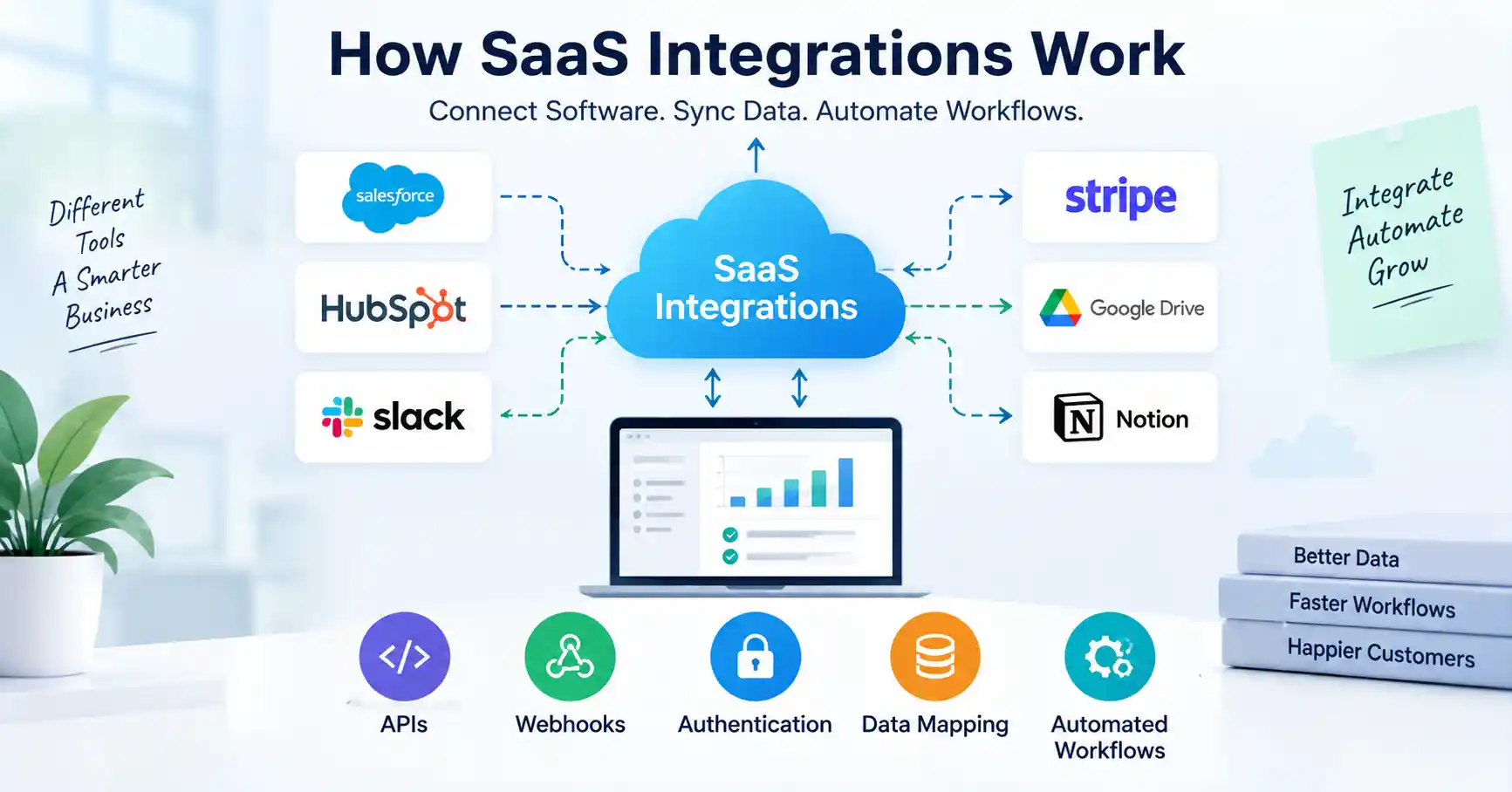
SaaS integrations let one cloud app talk to another. They pass data and start actions without people copying info by hand.
When tools do not connect, problems show up fast. You may see the same data in multiple places. Tasks can feel slow. Mistakes also tend to rise.
Most integrations use a few core pieces. They often rely on APIs. They use webhooks to send updates. They need login and access checks. They also translate fields with data mapping so both sides understand the same meaning.
In this guide, you will see how SaaS integrations work. You will also follow a build path step by step. There are common issues to watch for, too. You will learn which tools can make the work easier.
Table of Contents
- What is how SaaS integrations work
- Why how SaaS integrations work is important
- Step by Step Guide
- Best Practices and Tips
- Common Mistakes
- Tools
- FAQs
- Conclusion
What is how SaaS integrations work
SaaS integrations join different apps so they can share data or run steps without manual work. Rather than leaving each tool in its own corner, an integration moves information from one system to another.
Say a SaaS business uses a web form, HubSpot, Slack, and Stripe. A person fills out the form. After that, the setup can add a new entry in the CRM. It can also send a ping to the sales group. Later, once a payment goes through, the flow can change the customer stage.
APIs usually handle the first kind of link. With an API, one app can ask another app for data. It follows rules and uses set URLs.
Webhooks are handled in a different way. Instead of checking again and again for changes, an app can push a message when a set event happens. For example, when Stripe records a successful payment, it can send an event to another app
In day to day work, SaaS teams think less about a simple link between tools. They focus more on steady and correct data movement across business systems.
Why how SaaS integrations work is important
A well designed SaaS integration can:
- Reduce repetitive manual data entry across applications
- Keep customer and operational data synchronized
- Trigger workflows immediately when important events happen
- Reduce errors caused by copying information between systems
- Help teams build a more connected SaaS technology stack
Sales teams waste precious hours pinging finance over simple upgrades, they should stop. Instead, the billing system fires an event, the integration catches it, and boom, the CRM updates that record entirely by itself. Zero manual hassle involved whatsoever.
This becomes particularly valuable as a SaaS business grows. More customers, transactions, employees, and applications create more opportunities for disconnected workflows.
If you are also working on the broader SaaS growth system, see our guide to SaaS product management for more context on connecting product decisions with customer and business outcomes.
Step by Step Guide
Step 1: Identify the workflow
Always find where work slows down before buying software, What runs by itself? Which tools connect the gaps, Map the spark, payload, and payoff clearly. Skipping this basic step causes endless headaches later on.
For example:
A customer completes a purchase in Stripe.
The payment event is sent to your application.
The customer record is updated in the CRM.
The customer receives access to the appropriate SaaS plan.
The support team receives an internal notification.
This simple workflow gives developers and marketers a clear integration requirement before any technical work begins.
Step 2: Check the available APIs and webhooks
Next up, dig right into app integrations. You will want to comb through their API docs, authentication, endpoints, rate caps, webhooks, and formats. Frankly, most rely on basic requests anyway. Simple stuff.
Your application requests data or performs an action, and the connected service returns a response. Webhooks are event driven and send information when something happens. MDN Web Docs
For example, Stripe provides APIs for payments and subscriptions and webhooks for events such as successful payments and subscription changes.
Step 3: Set up authentication
Your connected apps need to verify who gets to touch their data.
API keys, OAuth, access tokens, and signed requests handle this heavy lifting most of the time.Take a CRM integration. Instead of forcing someone to type out a raw password, it just asks for their permission, catches the right credentials, and moves on. Much cleaner.
Bake security in right away. Never dump secrets into frontend code, and always check incoming webhook requests before your app acts on them.
Stripe specifically advises checking webhook signatures. That way, your system knows an event genuinely came from Stripe and not an imposter.
Step 4: Map and transform the data
Different applications rarely use exactly the same data structure.
One application may call a field company name while another calls it organization. Data mapping enters here. When one tool logs a plan as plain text while another demands a rigid ID, mapping bridges the gap, translating messy source specifics into whatever exact shape the receiving system needs.
For example:
CRM first name becomes customer first name.
CRM email becomes billing email.
CRM company becomes account name.
Subscription plan becomes customer tier.
Good integrations also handle missing fields, invalid values, duplicate records, and different date or currency formats.
Step 5: Test, monitor, and handle failures
An integration should never be considered finished immediately after the first successful test.
Test successful requests, failed requests, duplicate events, expired credentials, missing data, API limits, and temporary service failures.
Monitoring matters just as much. Your crew needs to catch the exact second an integration breaks and trace back to the trigger event.
Webhooks duplicate sometimes. Deliveries happen twice. So your code must spot those doubles instead of running the same job over and over. Stripe explicitly advises catching these duplicate pings and only handling the event types you actually use.
Best Practices and Tips
1. Start with one important workflow
Do not connect every application at once. Start with one workflow that saves significant manual effort or reduces an important operational problem.
2. Use webhooks for event driven workflows
When an action needs to happen after an event, webhooks can be more efficient than constantly polling an API for changes.
3. Keep authentication secure
Store API keys and secrets securely. Use OAuth where appropriate and rotate credentials when required.
4. Build for duplicate events
Your integration should be idempotent where possible. If the same event arrives twice, the system should avoid creating two customers, two invoices, or two notifications.
5. Monitor integration health
Track failed requests, response times, authentication errors, and webhook failures. An integration that silently breaks can create expensive data problems.
6. Document the data flow
Keep a simple record of the trigger, source application, destination application, fields transferred, and actions performed.
7. Test before production
Use test accounts or sandbox environments where available. Stripe, for example, provides tools for testing webhook and subscription behavior before production deployment.
For SaaS teams building a larger acquisition and growth system, our SaaS digital marketing guide provides additional context on connecting different digital channels with business goals.
Common Mistakes
1. Connecting tools without defining the workflow
Choosing an integration tool first can result in unnecessary complexity. Define the business process before selecting the technical solution.
2. Ignoring data quality
Bad source data produces bad destination data. Missing names, incorrect email addresses, duplicate records, and inconsistent customer IDs can quickly create problems.
3. Treating API access as unlimited
Many SaaS APIs have rate limits. A workflow that works with 100 records may fail when it suddenly needs to process thousands.
4. Not handling failures
Expired tokens, sudden outages, network snags, or simple API hiccups. Everything halts instantly.. Build retry and error handling into important integrations.
5. Skipping security checks
An integration can potentially access sensitive business or customer information. Treat auth, permissions, encryption, and webhook checks as core needs. Never push them aside.
Tools
SaaS teams lean on a few different toolsets when connecting software.
Zapier hooks apps together without code, firing off workflows when triggers trip, which makes it remarkably handy for routine tasks across sales, marketing, or ops desks.
Stripe hands developers robust APIs and webhooks built specifically for subscriptions, checkouts, and billing plumbing.
Make arranges visual sequences. It maps out intricate, multi step logic between platforms.
Postman helps engineers poke at APIs, look inside outgoing requests, and fix busted server responses.
Then there are dedicated integration platforms or middleware layers. These save companies from constantly babysitting dozens of separate pipelines once app counts explode.
SaaS Integration Approaches Comparison
| Approach | How it works | Best for | Main consideration |
| Direct API integration | One application communicates directly with another | Custom product workflows | Requires development work |
| Webhook integration | An application sends data when an event occurs | Real time event workflows | Requires reliable event handling |
| No code automation | A platform connects applications through predefined actions | Marketing and operations | Less control for complex workflows |
| Middleware | A central layer connects multiple systems | Larger SaaS stacks | Adds another system to manage |
| Custom integration platform | A business builds its own integration infrastructure | SaaS products offering integrations | Higher development and maintenance effort |
APIs grant control. Webhooks, however, reign supreme for reactive workflows. Automation platforms cut development time significantly. That’s the core idea.
FAQ’s
What is a SaaS integration?
Cloud apps chat, they swap data, trigger tasks. Pure wizardry, honestly.
How do SaaS integrations work?
These systems depend on APIs, webhooks, authentication, and complex data mapping, An app kicks off a data request. The integration handles it. Then, another app just takes over.
What is the difference between an API and a webhook?
Think of an API as an app’s request for stuff, or a command, A webhook? It’s the opposite. Data arrives, unbidden, when an event triggers it.
Are SaaS integrations secure?
Sure, they’re safe. But only if you truly nail down authentication, permissions, encryption, secret management, and request verification. It all depends on solid design and ongoing upkeep, doesn’t it?
Do SaaS integrations require coding?
Not always, though. Zapier and Make, for instance, connect tons of apps with zero coding. Still, trickier product integrations usually need developers messing with APIs and webhooks directly.
Conclusion
Getting how SaaS integrations work comes down to basics: apps trading data, answering triggers, checking who is knocking. And dealing with screwups when they happen. APIs do the heavy lifting for chat between systems. Webhooks kick in when you need an app to snap into action right away.
For dev squads, the smart play is simple. Pick a single high value workflow, track down the APIs and triggers, map the fields out, lock the door tight with auth, and watch it live.
Next up? Grab one annoying, manual workflow in your company. Write down what sets it off, where it starts, where it lands, the data moving around, and the desired outcome. Boom. Your product and engineering crews now have a solid runway to build something that actually holds up.