

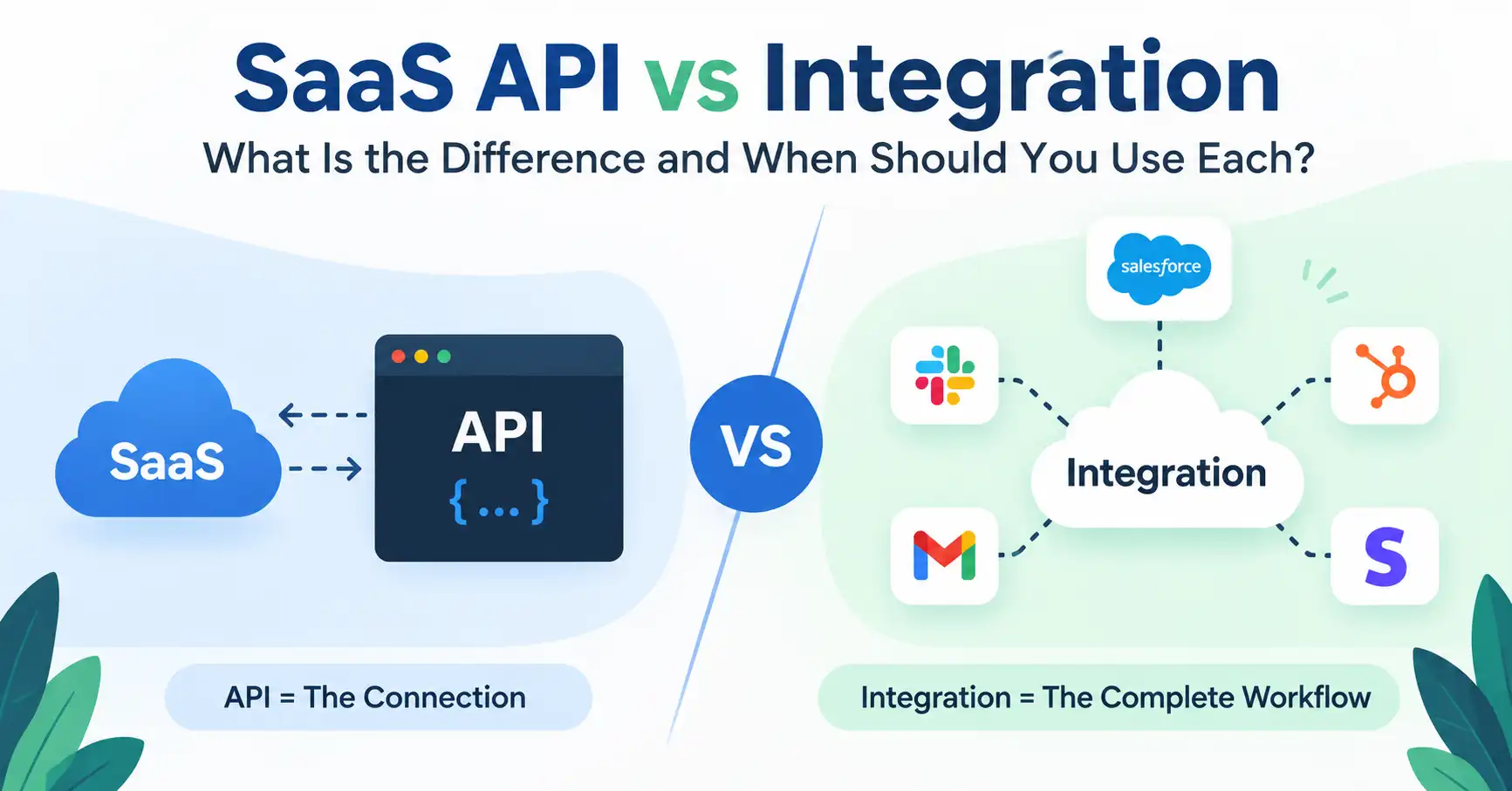
SaaS API versus integration trips people up constantly when systems get linked. An API acts as the raw technical pipe, a simple digital conduit letting separate applications talk. Meanwhile, a full integration is the finished bridge, built so different tools actually click together seamlessly and do real work. Grasping this lets SaaS teams pick the smart route for automation, data shuffling, and product building. This guide breaks down what separates them, how they tag team, and figuring out which exact path fits your project.
Table of Contents
- What is SaaS API vs Integration
- Why SaaS API vs Integration is Important
- SaaS API vs Integration Comparison
- Step by Step Guide
- Best Practices and Tips
- Common Mistakes
- Tools
- FAQs
- Conclusion
What is SaaS API vs Integration
A SaaS API is like a fixed set of routes. It tells one app how to ask for data or trigger actions in another app. For instance, a SaaS app might call a payment provider API to add new customers, pull up invoices, or confirm whether a payment went through.
An saas integration is the full connection setup between systems. It may include APIs plus webhooks. It also often involves login steps, field mapping, automation triggers, and ways to deal with failures so the workflow keeps going.
If you want a simple way to remember it, think of an API as the talk path. An integration is the whole path you build with that talk path in place.
For example, a CRM may offer an API that creates contacts. A SaaS integration could use that API to push fresh leads from a website into the CRM. It can line up the lead fields, sign in the CRM correctly, and alert the sales team if something breaks.
This split matters when you plan a SaaS project. If you are reading about SaaS setup in general or how products grow, you can also look at what is shared on SaaSyntic.
Why SaaS API vs Integration is Important
Understanding the difference between an API and an integration helps teams make better technical and product decisions.
- Better product planning
APIs give you isolated tools, but a true integration handles an entire workflow smoothly. - Faster automation
Integrations link software seamlessly, Tedious manual data entry vanishes entirely while automation takes over. - Easier technical decisions
Developers must map API capabilities beforehand, avoiding costly integration surprises before building anything. - Better customer experience
These days, software clients just expect total integration, CRMs, payment gateways, comms, All of it, seamless. - Lower development risk
Isolating core API behavior from integration work makes spotting security, auth, data mapping, and upkeep demands vastly easier.
SaaS API vs Integration Comparison
| Factor | SaaS API | SaaS Integration | Webhook | Automation Platform |
| Main purpose | Enable software communication | Connect complete workflows | Send event notifications | Automate actions between apps |
| Usually requires code | Often | Often, but not always | Usually | Usually less code |
| Data flow | Request and response | Multiple connected processes | Event based | Trigger and action |
| Example | Get customer data | Send leads from one SaaS to another | Notify when payment succeeds | Create CRM contact from form submission |
| Main users | Developers | Product and engineering teams | Developers | Business and operations teams |
| Scope | Technical interface | End to end workflow | Specific event delivery | Workflow automation |
An API bridges separate apps. But an integration, that actually uses the connection to solve your biggest operational headaches. Quite simple, really.
Step by Step Guide
Step 1: Define the business problem
Okay, ditch the tech jargon for a sec. What’s the real game plan? Harvesting customer data, absolutely, but is it just about mirroring records, or igniting a specific action? Or maybe letting their customers dive directly into your platform?
Imagine a SaaS firm. Every new sign up, boom, right into their CRM. That’s a customer sync. The API, let’s be real, is merely the mechanism. Never the whole story.
Step 2: Check the available API
First, nail down the exact requirement. Then check if those apps actually offer decent APIs. Dig deep into the endpoints, how they handle auth, rate limits, pagination, and what data they actually push. Take payment platforms as a quick example. They usually hand you endpoints for subscriptions, invoices, and customers, Your integration just grabs or pushes whatever info it needs through them.
Step 3: Decide how data should move
First off, figure out if your integration needs real time events, scheduled requests, or maybe both. An API request grabs data whenever your app demands it, Webhooks do the opposite, pinging your system the second something actually happens.
Take Stripe. They rely on stripe webhooks to fire event details over to your app whenever a subscription drops or a payment clears. Your SaaS reacts instantly, no constant polling required, Check out their official docs if you need the setup details.
Step 4: Build the integration workflow
Now, let’s tie those technical pieces into one clean workflow. What does that actually look like?
A customer fills out a web form. The SaaS app takes in that data. Next up, the integration talks to the CRM to log in securely. It matches the form fields up right, while the CRM API quietly drops in a brand new contact without missing a beat. The system logs the outcome and catches any screw ups if the call drops unexpectedly.
APIs handle the talk, but the integration runs the show.
Step 5: Test and monitor everything
An integration is never truly finished just because the initial request succeeded. You must deliberately break things. Test everything: authentication failures, malformed payloads, duplicate entries, sudden timeouts, rate limits, empty fields, total network outages.
Imagine a CRM API rejecting a record due to a missing email address. Your system cannot simply swallow the data and drop the ball it must log the failure gracefully and provide an actionable path to remediation.
As your SaaS scales, observation matters. Customers depend on these connections.
Best Practices and Tips
- Start with the business workflow
Define the problem before choosing an API or integration architecture. This prevents teams from building technical features that do not solve an important customer need. - Use official API documentation
Always check the current provider docs before setting up an API. Endpoints, auth methods, limits, and features shift without warning. Do it. - Design for API failures
Networks fail, services go offline, requests time out, and APIs can return errors. Use appropriate retries, logging, and failure handling. - Protect credentials
Never expose API keys or secrets in frontend code, public repositories, screenshots, or client side applications. Store sensitive credentials securely. - Make integrations idempotent
Your system should avoid creating duplicate records when the same request or event is processed more than once. This is especially important for webhook based workflows. - Monitor API usage
Track volume, error rates, speed, and quotas vigilantly, True vigilance snags brewing trouble before users notice a single glitch. - Document the workflow
Good documentation should explain authentication, supported events, data mapping, error handling, and limitations. This makes integrations easier to maintain as the product evolves.
Common Mistakes
Treating an API and integration as the same thing
An API is an interface. An integration is a complete connection or workflow. Using the terms interchangeably can create confusion between product requirements and technical implementation.
Building without checking API limitations
Your product might demand features an API simply lacks. Always check permissions, rate limits, endpoints, and objects first. Seriously, never commit blindly.
Ignoring webhook reliability
Event based integrations need to handle duplicate events, failed deliveries, retries, and signature verification. These details are important for reliable production systems.
Hardcoding sensitive credentials
Putting API keys directly into source code creates unnecessary security risks. Use secure credential management and environment specific configuration.
Forgetting data mapping
Two systems may use different names or formats for the same information. For example, one application may use customer_id while another uses contact_id. Your integration needs clear mapping rules.
Tools
Postman
Before anything else, Postman? A godsend. You can really prod at requests, auth, responses, headers, the whole shebang.
Stripe
Stripe APIs power SaaS billing, Without them, managing subscriptions is practically impossible.
Zapier
Zapier links various SaaS tools using basic triggers and actions, saving developers from coding every integration completely from scratch. Pretty handy.
Make
Make provides visual workflow automation for connecting applications and creating multi step business processes.
Swagger or OpenAPI
OpenAPI documentation unlocks endpoints, data formats, responses, security, and actions. Truly invaluable for developers.
FAQ’s
Is a SaaS API the same as an integration?
Wrong. An API is just code letting systems talk. Integration is the grand vision, binding disparate tools so real work happens seamlessly every single day.
Can an integration work without an API?
It depends on what systems are wired together. SaaS API integration. Others lean on webhooks or push files around. You might even spot database links or built in connectors, still, in modern SaaS stacks, APIs take the crown.
Are APIs and webhooks the same?
An API often lets a program ask for data or start a task. A webhook usually pushes an event alert to a different system when an event occurs.
Should every SaaS product have an API?
Indeed. An API truly shines when partners or your own apps require code level access to your SaaS features. It’s a game changer then.
Should a SaaS company build integrations or provide an API?
It really depends on the product and what the customer needs. An API can give developers more control. At the same time, prebuilt integrations can cut down on setup work. Some SaaS services offer both options.
Conclusion
Think of it like this: an API is the wiring, while an integration is the actual machine running. At its core, an API merely lets two programs talk. An integration, though, is the heavy lift where you stitch several endpoints together, hammer out security protocols, normalize messy data fields, listen for events, and enforce company logic. It is the full deal.
If you build SaaS, begin with the user’s real headache. Nail down the exact workflow first, audit what endpoints are already lying around. And only sketch the overarching pipeline once you know the terrain, which keeps you from shipping bloated code you will inevitably hate maintaining.
Do both as you scale. Ship clean, well documented endpoints for the hackers, but bundle ready made connectors for the common apps your mainstream buyers run daily. Give the engineers control. Give everyone else convenience.
Try this today. Find one tedious, manual chore in your platform, map the apps, triggers, and payload path, and decide whether a raw webhook, a native bridge, or some off the shelf automation tool actually solves it cheapest.